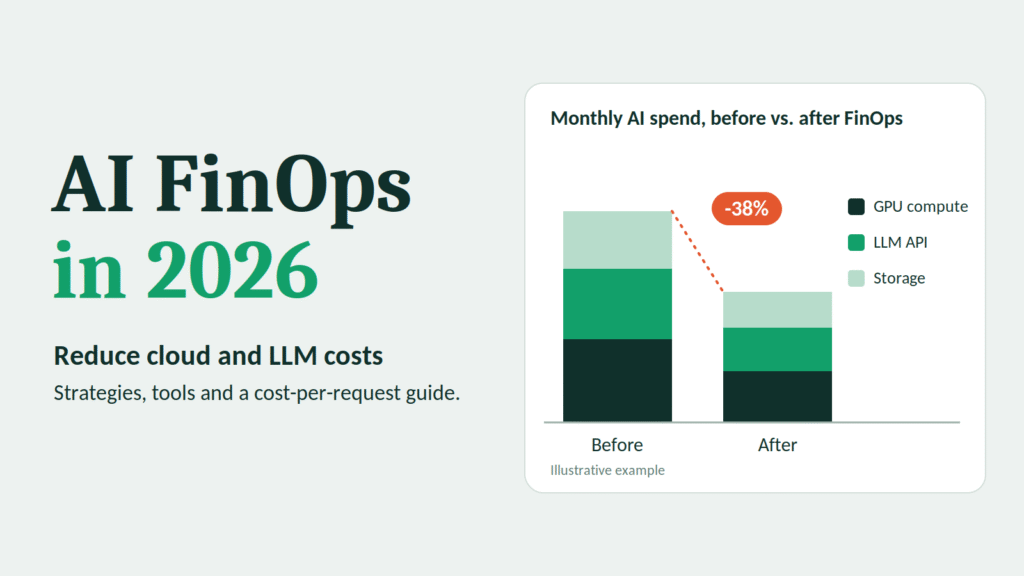
1. What Is AI FinOps?
FinOps is the practice of bringing financial accountability to cloud spending. Engineering, finance, and business teams work from shared data, so everyone understands what the cloud costs and what it delivers.
AI FinOps applies the same discipline to AI workloads. It covers the full cost surface of AI systems:
- LLM API usage billed per token
- GPU and accelerator compute for training, fine-tuning, and self-hosted inference
- Vector databases, embedding pipelines, and retrieval systems
- Data storage, movement, and egress
- Orchestration, monitoring, and evaluation tooling
- The people and processes that keep all of it running
Why traditional FinOps is not enough
Classic cloud FinOps assumes relatively predictable resources: virtual machines, storage, databases. You buy capacity, tag it, and optimize utilization.
AI spending behaves differently:
| Traditional cloud cost | AI cost |
|---|---|
| Driven by provisioned capacity | Driven by usage patterns (tokens, requests, GPU hours) |
| Fairly predictable month to month | Highly variable, can spike with a single prompt change |
| Cost tied to infrastructure | Cost tied to product behavior and prompt design |
| Optimized by rightsizing and commitments | Also optimized by model choice, caching, and context length |
| Owned mostly by infrastructure teams | Shared across engineering, product, data science, and finance |
In AI systems, a developer who edits a prompt can change your bill more than an infrastructure engineer who resizes a cluster. That is why AI FinOps needs to reach product and engineering teams, not just the cloud operations group.
The three goals of AI FinOps
- Visibility: know what you spend, on which models, features, teams, and customers.
- Optimization: reduce waste and choose the cheapest option that meets the quality bar.
- Governance: set budgets, guardrails, and accountability so costs stay predictable as usage grows.
Cutting cost is only part of the job. The real goal is unit economics: understanding what each AI-powered outcome costs, and whether it is worth it.
2. Why AI Infrastructure Costs Are Increasing in 2026
Several forces are pushing AI infrastructure costs up at the same time, even as the price per token for many models has fallen over the past few years. Falling unit prices and rising total bills can both be true, because usage grows faster than prices drop.
AI moved from pilot to production
Pilots serve a handful of users. Production serves thousands or millions. A feature that cost almost nothing in testing can become a major budget line once real customers use it every day.
Applications make more model calls per task
Early chatbots made one model call per question. Modern applications often chain several calls: classify the request, retrieve documents, rewrite the query, generate an answer, check the answer. Agentic systems multiply this further, since an agent may plan, call tools, reflect, and retry. One user action can trigger ten or twenty model calls.
Context windows keep growing, and so do prompts
Larger context windows are useful, and also tempting. Teams stuff entire documents, long conversation histories, and verbose instructions into every request. Because input tokens are billed, a prompt that grows by 2,000 tokens quietly adds cost to every single call.
Reasoning models consume more tokens
Models that “think” before answering can produce far more output and hidden reasoning tokens than standard models. They are valuable for hard problems and expensive when used for easy ones.
GPU demand and capacity constraints
Accelerator capacity remains a scarce resource for many organizations. Teams that train or self-host models face high hourly rates, reservation commitments, and the risk of paying for idle GPUs that sit waiting for work.
Data costs sneak in around the edges
Embedding large document sets, storing vectors, moving data between regions or clouds, and logging every prompt and response all add charges that rarely appear in an AI budget forecast.
Shadow AI spreads spending
When every team can sign up for an API key, spending scatters across credit cards, departmental accounts, and experimental projects. Nobody sees the total until the quarter closes.
Lack of unit economics
Many companies know their total AI bill but not their cost per customer, per feature, or per successful outcome. Without that, it is impossible to tell whether a feature is profitable.
Put together, the pattern is clear: more usage, more calls per task, longer prompts, pricier models, and poorer visibility. Each factor is manageable alone. Combined, they produce the budget surprises many finance teams now face.
Related reading: see our analysis of Top 10 Cloud Computing Companies Powering Enterprise AI in 2026 for how the major providers are positioning their AI infrastructure.
3. Understanding LLM API, GPU and Cloud Computing Costs
Before you can reduce spending, you need to know where it comes from. AI costs fall into three broad layers.
Layer 1: LLM API costs
When you call a hosted model, you generally pay per token. A token is a small chunk of text, roughly three-quarters of an English word on average.
Most providers price input tokens (what you send) and output tokens (what the model generates) separately, and output tokens usually cost more. Other pricing dimensions often include:
- Model tier: larger, more capable models cost more per token than smaller ones.
- Cached input: many providers charge less for repeated prompt prefixes that can be cached.
- Batch processing: asynchronous batch jobs are often discounted compared with real-time calls.
- Reasoning tokens: thinking models may bill for internal reasoning as output.
- Provisioned throughput: some platforms let you reserve capacity at a fixed rate in exchange for predictable performance and pricing.
- Multimodal inputs: images, audio, and video are priced differently from text.
What drives your LLM bill:
LLM cost = (input tokens × input price) + (output tokens × output price), multiplied by the number of calls.
Every lever in LLM cost optimization acts on one of those terms: fewer tokens, cheaper tokens, or fewer calls.
Layer 2: GPU and accelerator costs
If you train models, fine-tune them, or host open-weight models yourself, you pay for compute directly. Key cost drivers include:
- Instance type and accelerator generation: newer, faster hardware costs more per hour but may finish work sooner.
- Utilization: an idle GPU costs the same as a busy one. Low utilization is the biggest source of waste in GPU cloud cost management.
- Purchasing model: on-demand, reserved or committed, and spot or preemptible capacity carry very different prices.
- Training runs: long experiments, failed jobs, and repeated hyperparameter searches add up.
- Inference serving: keeping models loaded and ready 24/7, even during low traffic, creates a baseline cost.
- Networking and storage: multi-GPU training moves a lot of data, and checkpoints consume storage.
Self-hosting can reduce per-token costs at high, steady volume. It also shifts responsibility to you for utilization, scaling, reliability, and engineering time. Below a certain scale, hosted APIs are often cheaper once you count people and idle capacity.
Layer 3: Surrounding cloud costs
The model is only part of an AI application. Supporting services often make up a surprising share of the bill:
- Vector databases and search indexes for retrieval
- Embedding generation when you index or re-index content
- Object storage and data lakes for source documents and training data
- Data transfer and egress between regions, clouds, and the internet
- Orchestration and compute for application logic, queues, and workers
- Logging, monitoring, and tracing, which can become expensive when you store every prompt and response
- Evaluation workloads, because testing models also consumes tokens
Many teams discover that logging and evaluation alone consume a meaningful slice of their AI budget.
For the data side of this layer, see Top 20 Data Engineering Trends in 2026, which covers pipeline and storage patterns that influence AI spending.
A quick map of where AI money goes
| Cost layer | Typical drivers | Common hidden problem |
|---|---|---|
| LLM APIs | Tokens, model tier, call volume | Oversized prompts, premium model for easy tasks |
| GPU compute | Hours, utilization, purchase model | Idle capacity, failed or repeated jobs |
| Data and storage | Volume, retention, movement | Duplicate data, cross-region transfer |
| Retrieval systems | Index size, query volume | Re-embedding unchanged content |
| Observability | Log volume, retention | Storing everything forever |
| People and tooling | Engineering time, vendor fees | Unowned experiments that never shut down |
4. Top 7 AI Cost Optimization Strategies
These strategies are ordered roughly from fastest and safest to more involved. Savings vary widely by workload, so test each against your own quality benchmarks.
Strategy 1: Establish visibility and attribution first
You cannot optimize what you cannot see. Before changing anything:
- Tag everything. Apply consistent tags or labels for team, product, feature, environment, and customer where possible.
- Use separate API keys or projects per application and environment, so spend can be attributed.
- Track tokens and cost per request inside your application, not only on the monthly invoice.
- Build a simple dashboard showing daily spend by model, feature, and team.
- Set budgets and alerts at multiple thresholds so a runaway process is caught in hours, not weeks.
Many organizations find that visibility alone exposes quick wins, such as forgotten experiments, duplicate subscriptions, and a development environment using the most expensive model.
Strategy 2: Route requests to the right model
Not every task needs your most powerful model. Classification, extraction, simple Q&A, formatting, and routing can often be handled by smaller, cheaper models with little quality loss.
Model routing works like this:
- A lightweight router (a rules engine or a small model) assesses each request.
- Simple requests go to a low-cost model.
- Complex or high-stakes requests go to a premium model.
- Low-confidence answers can escalate to a stronger model.
This is frequently the single largest lever in reduce LLM API costs projects, because price differences between model tiers can be large. The key is measuring quality per route so you do not degrade the experience unnoticed.
Strategy 3: Cache aggressively
Many AI workloads repeat themselves. Three caching layers help:
- Provider prompt caching: if your requests share a long, stable prefix (system instructions, policy documents, tool definitions), structure prompts so that prefix is cacheable and billed at a lower rate.
- Exact-match response caching: identical requests return a stored answer without calling the model.
- Semantic caching: similar requests, such as “reset my password” and “how do I change my password,” reuse an earlier answer when similarity is high enough.
Caching works best for FAQ-style, support, and internal knowledge workloads. Be careful with anything personalized, time-sensitive, or permission-dependent, and set sensible expiry rules.
Strategy 4: Shrink your prompts and control output length
Every token you send costs money, on every call.
- Trim system prompts. Remove redundant instructions, repeated examples, and politeness filler.
- Retrieve less, retrieve better. Instead of stuffing ten document chunks into the context, improve retrieval quality and send the three that matter.
- Summarize conversation history rather than replaying it in full.
- Limit output length with explicit instructions and max-token settings.
- Request structured output, such as short JSON, instead of long prose when a machine will read the result.
- Avoid unnecessary reasoning effort on simple tasks if your model offers a setting for it.
Prompt trimming is low risk and fast, and it compounds because it applies to every request.
Strategy 5: Use batch processing and asynchronous workloads
Not every AI task needs an instant answer. Document processing, nightly enrichment, content tagging, evaluation runs, and report generation can often tolerate delay.
Many providers offer discounted batch endpoints for work that can complete within a longer window. Moving non-urgent workloads to batch processing can cut their cost noticeably, and it also smooths demand on your systems.
Strategy 6: Optimize GPU and infrastructure spend
For teams running their own models or training workloads, GPU cloud cost management is a discipline of its own:
- Raise utilization. Batch inference requests, use continuous batching in serving frameworks, and share GPUs across workloads where appropriate.
- Scale to zero or to demand. Do not keep large models loaded overnight if traffic is near zero. Autoscale on real demand.
- Match purchasing to workload. Use committed or reserved capacity for steady baseline load, on-demand for unpredictable bursts, and spot or preemptible capacity for fault-tolerant training and batch jobs.
- Checkpoint frequently so interrupted spot jobs resume instead of restarting.
- Right-size the hardware. A smaller accelerator can be cheaper per job if the model fits, and a larger one can be cheaper if it finishes dramatically faster.
- Quantize and distill. Smaller or compressed models can run on cheaper hardware with acceptable quality for many tasks.
- Shut down idle experiments. Set automatic expiry on notebooks and dev clusters.
Strategy 7: Set governance, budgets, and unit-economics targets
Technical optimizations fade without governance. Build habits that keep costs under control:
- Budgets per team and feature, with alerts and escalation paths.
- Rate limits and spending caps on API keys, especially for experiments.
- Step and retry limits for agents, so a looping agent cannot burn through a budget.
- Approval processes for new high-cost models or large training runs.
- Regular cost reviews where engineering, product, and finance look at the same dashboard.
- Unit-economics targets, such as “support resolution must cost under X per ticket,” so teams optimize toward business outcomes.
Putting the strategies together
| Strategy | Effort | Typical risk | Best for |
|---|---|---|---|
| Visibility and attribution | Low | None | Everyone, start here |
| Model routing | Medium | Quality regressions if untested | High-volume, mixed-complexity workloads |
| Caching | Low to medium | Stale or wrong cached answers | Repetitive queries |
| Prompt and output trimming | Low | Over-trimming context | All LLM applications |
| Batch processing | Low | Added latency | Non-urgent workloads |
| GPU and infrastructure optimization | Medium to high | Reliability, engineering time | Self-hosting and training |
| Governance and budgets | Medium | Process friction | Growing organizations |
5. Best AI FinOps Tools for Businesses
The tooling landscape spans cloud-native cost tools, dedicated FinOps platforms, and LLM-specific gateways and observability products. Features, ownership, and packaging change quickly in this market, so verify current capabilities with each vendor.
Cloud-native cost tools
Each major provider includes baseline cost visibility at no extra charge:
- AWS: Cost Explorer, Budgets, Cost and Usage Reports, and Cost Anomaly Detection.
- Microsoft Azure: Cost Management and Billing, with budgets and anomaly alerts.
- Google Cloud: Cloud Billing reports, budgets, and billing export to BigQuery for custom analysis.
These are the right starting point. They show provider-level spend well, though they often lack deep, cross-vendor LLM attribution.
Dedicated FinOps and cloud cost platforms
These tools consolidate costs across clouds, add allocation and showback, and recommend savings:
- CloudZero: focused on cost allocation and unit economics.
- Vantage: multi-cloud cost reporting with support for a growing list of services.
- Finout: allocation and virtual tagging across multiple providers.
- Apptio Cloudability (IBM): enterprise-grade FinOps management.
- Kubecost: Kubernetes cost visibility, relevant for GPU workloads on clusters.
- nOps and similar optimization tools: automation around commitments and rightsizing.
LLM gateways and observability
These sit between your application and model providers, giving you per-request cost data and control:
- LiteLLM: an open-source gateway that unifies many model providers, with budgets and spend tracking.
- Portkey: an AI gateway with routing, caching, and cost controls.
- Helicone: request logging and cost analytics for LLM applications.
- Langfuse: open-source tracing and analytics, including token and cost tracking.
- Datadog and other observability platforms: increasingly offering LLM monitoring alongside infrastructure metrics.
What to look for
When comparing AI FinOps tools, test these capabilities:
- Token-level attribution by feature, team, customer, and model.
- Multi-provider support, so you are not blind to spend outside one cloud.
- Budgets, alerts, and anomaly detection that fire quickly.
- Routing, caching, and rate limiting if the tool acts as a gateway.
- GPU and Kubernetes visibility if you self-host.
- Unit-cost reporting such as cost per request, per user, or per outcome.
- Data privacy controls, since gateways may see prompts and responses.
- Pricing model. Some tools charge a percentage of spend, which can grow with your bill. Estimate your real cost at scale.
A pragmatic starting stack
Many organizations begin with native cloud cost tools plus an open-source gateway or tracing tool, then add a dedicated FinOps platform once multi-cloud complexity or organizational size justifies it. Buying a heavy platform before you have basic tagging in place rarely pays off.
For a deeper comparison, see our upcoming guide: Best AI Cost Monitoring Tools for Enterprises.
6. AWS vs Azure vs Google Cloud: AI Cost Management
All three hyperscalers offer managed model access, GPU or accelerator capacity, and cost tooling. The best choice depends on your existing footprint, model needs, and negotiated pricing more than on headline rates. This comparison focuses on cost-management levers rather than list prices, which change frequently.
| Area | AWS | Microsoft Azure | Google Cloud |
|---|---|---|---|
| Managed model access | Amazon Bedrock offers multiple model families through one service | Azure AI Foundry and Azure OpenAI Service for OpenAI and other models | Vertex AI with Google and third-party models |
| Custom training and hosting | SageMaker, plus EC2 GPU instances and custom AI chips | Azure Machine Learning and GPU virtual machines | Vertex AI training and serving, GPUs, and TPUs |
| Commitment options | Savings Plans, reserved instances, provisioned throughput on some model services | Reservations, savings plans, provisioned throughput units for model deployments | Committed use discounts, provisioned throughput options |
| Discounted capacity | Spot instances | Spot virtual machines | Spot VMs |
| Cost visibility | Cost Explorer, Budgets, Cost and Usage Reports | Cost Management and Billing | Billing reports and BigQuery export |
| Notable AI cost angle | Broad model choice and custom silicon options | Tight integration with Microsoft enterprise agreements and tooling | TPU option and strong data analytics integration |
How to think about the choice
Existing commitments matter most. If your company already has a large committed spend with one provider, using its AI services may be cheaper after discounts than a theoretically lower-priced alternative elsewhere.
Model availability drives architecture. Some models are available on only one platform, or are available earlier or with better terms there. Check which models your use case needs.
Egress and data gravity are real costs. Moving large datasets between clouds can erase savings. Keep AI workloads near the data they use.
Accelerator options differ. Custom chips and TPUs can offer price-performance advantages for certain workloads, but they may require code changes or framework support.
Negotiate. Enterprise agreements, committed spend, and private pricing can change the math substantially. Ask each provider for current AI-specific programs and credits.
Multi-cloud caution
Using several providers can improve negotiating leverage and model access, but it also fragments visibility and adds engineering overhead. If you go multi-cloud for AI, invest in a unified cost view and a model gateway from the start.
A detailed price-by-price comparison is coming in our GPU Cloud Pricing Comparison guide. Verify current rates in each provider’s pricing pages before making commitments.
7. How to Calculate AI Cost Per Request
If you only track your monthly invoice, you will always be reacting late. Cost per request is the foundation of AI unit economics. Here is a practical method.
Step 1: Calculate the LLM cost
LLM cost per request = (input tokens ÷ 1,000,000 × input price per million) + (output tokens ÷ 1,000,000 × output price per million)
Use the actual token counts your provider returns in each API response, averaged over a representative sample.
Step 2: Add the surrounding costs
Include per-request shares of:
- Embedding and retrieval costs
- Vector database queries
- Orchestration compute
- Logging and monitoring
- Any additional model calls (rewriting, reranking, safety checks)
Step 3: Multiply by calls per task
If one user task triggers several model calls, sum them. The cost of a task matters more than the cost of a single call.
Step 4: Divide by successful outcomes
A failed or abandoned request still costs money. Track cost per successful outcome, such as cost per resolved ticket or per completed document.
Worked example
Imagine a customer support assistant. All numbers are hypothetical.
Assumptions:
- Premium model price: $3.00 per million input tokens, $15.00 per million output tokens
- Average request: 1,800 input tokens and 400 output tokens
- Retrieval, orchestration, and logging: $0.0014 per request
- Volume: 2,000,000 requests per month
Before optimization (every request uses the premium model):
| Component | Calculation | Cost per request |
|---|---|---|
| Input tokens | 1,800 ÷ 1,000,000 × $3.00 | $0.0054 |
| Output tokens | 400 ÷ 1,000,000 × $15.00 | $0.0060 |
| Surrounding costs | Retrieval, orchestration, logging | $0.0014 |
| Total | $0.0128 |
Monthly cost: 2,000,000 × $0.0128 = $25,600
After optimization:
The team adds caching, model routing, and prompt trimming:
- 15% of requests are served from cache at about $0.0002 each.
- 45% are routed to a smaller model priced at one-eighth of the premium rate. Cost per request is about $0.0029, including surrounding costs.
- 40% stay on the premium model, with prompts trimmed to 1,200 input tokens. Cost per request is about $0.0110.
| Route | Share of requests | Cost per request | Weighted cost |
|---|---|---|---|
| Cache | 15% | $0.0002 | $0.00003 |
| Small model | 45% | $0.0029 | $0.00131 |
| Premium model (trimmed) | 40% | $0.0110 | $0.00440 |
| Blended total | 100% | $0.00574 |
Monthly cost: 2,000,000 × $0.00574 ≈ $11,480
Result: roughly a 55% reduction in this hypothetical example, from about $25,600 to about $11,500 per month.
Real outcomes will differ, and quality must be validated at each step. If routing to the smaller model reduces resolution rates, the “savings” can disappear through escalations and customer churn. That is why cost per successful outcome is the metric to protect.
Metrics to track continuously
- Cost per request and per task
- Cost per successful outcome
- Average input and output tokens per request
- Cache hit rate
- Share of traffic per model
- GPU utilization (for self-hosted workloads)
- Spend by team, feature, and customer
- Cost as a percentage of the revenue the feature supports
8. Common AI Spending Mistakes
Most overspending traces back to a short list of avoidable errors.
Using the most powerful model for everything. Premium models are excellent and expensive. Defaulting to them for simple tasks is like hiring a senior specialist to file paperwork.
Shipping without per-request cost visibility. If the first time you see cost is the monthly bill, you are managing in hindsight.
Letting prompts grow unchecked. Each added instruction, example, or document chunk raises cost on every call. Review prompts like you review code.
Ignoring agent loops. Agents that retry, re-plan, or call tools repeatedly can multiply costs unexpectedly. Always set step and budget limits.
Over-retrieving context. Sending many marginally relevant chunks increases cost and can reduce answer quality.
Re-embedding unchanged content. Re-indexing entire document sets when only a few files changed wastes compute and money.
Keeping GPUs idle. Reserved or always-on GPU capacity with low utilization is one of the most expensive mistakes in AI infrastructure.
Skipping quality evaluation when optimizing. Cost cuts that degrade quality shift expense elsewhere, through human rework, complaints, and lost trust. Always measure both.
Logging everything forever. Storing complete prompts and responses indefinitely is costly and creates privacy and compliance exposure. Set retention rules and sample where appropriate.
Treating experiments as free. Forgotten notebooks, test clusters, and evaluation loops can run for weeks. Use automatic expiry and budgets.
Optimizing price instead of unit economics. The cheapest model is not the cheapest solution if it needs more retries, more human review, or longer prompts to perform.
Locking into long commitments too early. AI pricing and capabilities move quickly. Commit only to capacity you are confident you will use, and keep flexibility for newer models.
Leaving ownership unclear. If nobody owns AI cost, nobody manages it. Assign accountable owners for each major workload.
9. Future of AI FinOps in 2027
Nobody can predict pricing precisely, but several directions look likely based on current momentum.
Cost-aware routing becomes standard. Gateways that automatically choose models by task difficulty, latency target, and budget will move from advanced practice to default architecture.
Unit economics enters board conversations. As AI features become revenue-bearing products, finance leaders will expect margin analysis per feature and per customer, just as they do for traditional software.
Pricing models keep evolving. Expect continued experimentation with outcome-based, subscription-style, and committed-capacity pricing alongside pure per-token billing. Comparing offers will require careful modeling.
Smaller, specialized models gain share. Efficient open-weight and domain-specific models can handle many production tasks at a fraction of the cost of frontier models, which pushes more workloads toward hybrid architectures.
FinOps and observability converge. Cost data will increasingly sit alongside quality, latency, and reliability metrics in the same tools, so teams can see trade-offs together.
Governance tightens for autonomous agents. As agents take more actions, budget guardrails, approval gates, and audit trails will become standard controls.
Hardware efficiency continues to improve. New accelerators and inference optimizations should lower cost per unit of work, though demand growth may keep total bills rising.
Sustainability enters the picture. Energy use and carbon impact are becoming part of the cost conversation, and some organizations will track them alongside dollars.
The direction is consistent: AI cost management is becoming a permanent operating discipline, not a one-time cleanup project.
10. Frequently Asked Questions
What is AI FinOps?
AI FinOps is the practice of managing and optimizing the costs of AI workloads, including LLM API usage, GPU compute, data infrastructure, and supporting cloud services. It combines visibility, optimization, and governance so engineering, product, and finance teams can make informed decisions about AI spending.
How is AI FinOps different from regular FinOps?
Traditional FinOps focuses on provisioned cloud resources like virtual machines and storage. AI FinOps handles usage-driven, variable costs such as tokens and GPU hours, where product decisions like prompt design and model choice affect spending as much as infrastructure choices do.
What is the fastest way to reduce LLM API costs?
Start with visibility, then apply the low-risk wins: trim prompts, cap output length, enable provider prompt caching, and move non-urgent work to batch processing. After that, introduce model routing so simple requests use cheaper models. Always test quality before and after each change.
Does a cheaper model always save money?
Not necessarily. A cheaper model that produces more errors, needs longer prompts, or triggers retries and human review can cost more overall. Measure cost per successful outcome, not just price per token.
When does self-hosting an LLM make sense?
Self-hosting can be cost-effective at high, steady volumes, when you need data control, or when you want to run fine-tuned or open-weight models. It adds responsibility for utilization, scaling, reliability, and engineering time. For lower or spiky volume, hosted APIs are often cheaper once you count idle capacity and staffing.
How do I control GPU cloud costs?
Increase utilization through batching and sharing, autoscale to real demand, use committed capacity for steady loads and spot capacity for fault-tolerant jobs, shut down idle resources automatically, and right-size hardware to the workload. Track GPU utilization as a core metric.
How do I calculate cost per request for an AI application?
Multiply input and output tokens by their respective prices, add per-request shares of retrieval, orchestration, and logging costs, then multiply by the number of model calls per task. For a business view, divide total cost by the number of successful outcomes.
Which cloud provider is cheapest for AI workloads?
There is no universal answer. The right choice depends on which models you need, your existing commitments and discounts, data location, and accelerator requirements. Compare current pricing and negotiate based on your expected usage.
What are the best AI cost monitoring tools?
Start with native tools from your cloud provider, then consider LLM gateways and tracing tools such as LiteLLM, Portkey, Helicone, or Langfuse for token-level visibility, and dedicated FinOps platforms like CloudZero, Vantage, or Finout for broader allocation across clouds. Choose based on your stack, scale, and privacy requirements.
How much can AI FinOps save?
It varies widely. Organizations with no visibility or optimization often find substantial waste, while mature teams see smaller gains. Treat any specific percentage you read as an example, and measure your own baseline before and after changes.
Who should own AI cost management?
Shared ownership works best: finance provides budgets and reporting, engineering implements optimizations, product connects cost to value, and a designated FinOps or platform lead coordinates. Each major AI workload should have a named owner.
Conclusion
AI is getting cheaper per token and more expensive in total. That paradox is the reason AI cost management now matters to every company building with LLMs.
The path forward does not require slowing down innovation. It requires seeing costs clearly and designing systems with economics in mind. In practice, that means:
- Measure first. Tag spend, track tokens, and calculate cost per request and per outcome.
- Capture the easy wins. Trim prompts, cap outputs, cache repeated work, and batch non-urgent jobs.
- Match the model to the task. Route simple work to smaller models and keep premium models for hard problems.
- Run GPUs like a utilization business. Idle capacity is the quiet budget killer.
- Govern spending. Set budgets, rate limits, and step limits before an experiment becomes an invoice shock.
- Protect quality. The goal is lower cost per successful outcome, not lower cost at any price.
- Review continuously. Prices, models, and usage patterns change. So should your optimization.
Companies that treat AI FinOps in 2026 as a core capability will be able to scale AI features with confidence, knowing exactly what each one costs and what it returns. Those that do not will keep discovering their AI strategy through the invoice.
