Businesses often start with separate tools for accounting, inventory, sales, purchasing, projects, and reporting. As the business grows, managing information across disconnected systems becomes increasingly difficult. Teams may spend more time moving data between applications than actually using that data to make decisions.
This is where an enterprise resource planning (ERP) platform such as Microsoft Dynamics 365 Business Central can make a significant difference.
Business Central brings core business processes together in one connected system. It is designed primarily for small and midsize organizations that want to manage financial and operational activities without maintaining a collection of disconnected applications.
Microsoft describes Business Central as an AI-powered ERP platform for small and midsize businesses, with capabilities covering finance, sales, service, projects, supply chain, reporting, and more.
But what exactly is Business Central, what does it do, and why are businesses choosing it?
This guide explains everything you need to know.
What Is Microsoft Dynamics 365 Business Central?
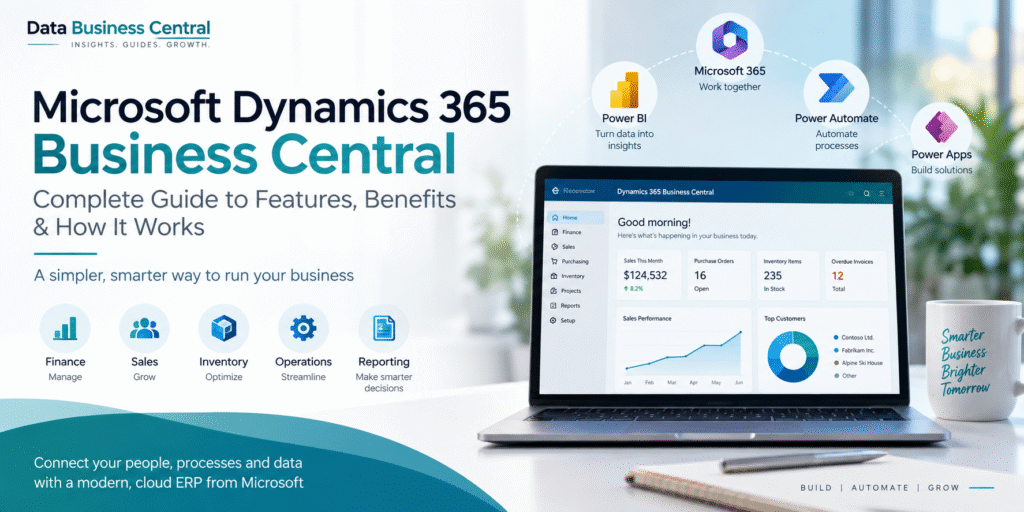
Microsoft Dynamics 365 Business Central is an ERP solution that connects financial management, sales, purchasing, inventory, supply chain, projects, and other core business processes in a single platform.
Business Central was formerly known as Microsoft Dynamics NAV. The modern platform combines the established ERP capabilities of Dynamics NAV with cloud deployment, Microsoft 365 integration, business intelligence, automation, and Microsoft’s growing AI capabilities.
Instead of each department maintaining separate information, Business Central provides a shared source of business data.
For example, when a customer places an order, the information can flow through sales, inventory, purchasing, fulfillment, invoicing, and financial reporting. This connected approach reduces repetitive data entry and gives employees better visibility into what is happening across the organization.
Microsoft also positions Business Central around data-driven decision-making, with integration capabilities for tools such as Excel and Power BI and AI-powered functionality through Copilot and other Microsoft technologies.
How Does Business Central Work?
At a basic level, Business Central works by connecting different areas of a business through a common ERP environment.
Consider a company that sells physical products.
A typical process might look like this:
Customer order → Sales order → Inventory check → Purchasing or fulfillment → Shipment → Invoice → Financial reporting
Without an integrated ERP, each stage might involve different applications and manual data transfers.
With Business Central, these processes can be connected. A transaction entered in one part of the system can influence information in other areas.
This creates a more consistent flow of information and helps businesses reduce data silos.
The result is not simply better accounting or inventory management. The larger advantage is having a connected view of business operations.
Key Features of Microsoft Dynamics 365 Business Central
Business Central covers a wide range of business functions. The exact capabilities available can depend on the organization’s requirements, configuration, licensing, extensions, and implementation approach.
1. Financial Management
Financial management is one of the core capabilities of Business Central.
Organizations can manage areas such as:
- General ledger
- Accounts payable
- Accounts receivable
- Cash management
- Bank reconciliation
- Fixed assets
- Budgets
- Financial reporting
- Multiple currencies
Instead of relying on separate accounting and operational systems, businesses can connect financial information with transactions occurring elsewhere in the organization.
This can provide finance teams with greater visibility into revenue, expenses, cash flow, receivables, payables, and overall financial performance.
2. Sales Management
Business Central supports sales processes from customer interactions through orders and invoicing.
Organizations can manage:
- Customers
- Quotes
- Sales orders
- Invoices
- Returns
- Pricing
- Customer-related information
Because sales activity is connected with inventory and finance, teams can get a more complete picture of the impact of sales transactions.
Microsoft also continues to add automation and AI capabilities to sales processes, including functionality designed to accelerate activities such as order processing.
3. Purchasing and Procurement
Businesses need to maintain the right products and materials at the right time.
Business Central can help organizations manage purchasing activities such as:
- Vendors
- Purchase quotes
- Purchase orders
- Receipts
- Invoices
- Purchase returns
- Vendor-related transactions
Purchasing information can also connect with inventory and financial management, allowing organizations to understand what they are buying and how those purchases affect operations and finances.
4. Inventory and Supply Chain Management
Inventory management becomes increasingly complicated as companies add products, warehouses, suppliers, and sales channels.
Business Central provides functionality for managing inventory, stock movements, purchasing, sales, and related supply chain processes.
Businesses can use the platform to improve visibility into inventory levels and coordinate purchasing and fulfillment activities.
For organizations with more advanced operational requirements, Business Central can also support warehouse and supply chain processes through its broader functionality and available extensions.
5. Project Management
Business Central isn’t limited to companies that sell physical products.
Its project capabilities can help organizations manage jobs, resources, costs, time, expenses, planning, and project-related invoicing.
This can be particularly useful for professional services organizations and businesses that need to understand the profitability of individual projects.
Instead of tracking project costs separately in spreadsheets, organizations can connect project activity with their financial information.
6. Reporting and Business Intelligence
One of the biggest advantages of an integrated ERP is the amount of operational data it can make available.
Business Central provides reporting capabilities and can work with Microsoft tools such as Excel and Power BI.
Power BI can be used to create dashboards and visualizations that help organizations analyze areas such as:
- Sales performance
- Revenue
- Profitability
- Inventory
- Customer activity
- Financial performance
- Operational KPIs
Microsoft specifically highlights real-time dashboards, flexible reporting, KPIs, and Power BI integration as part of Business Central’s data-driven approach.
Business Central and Microsoft 365 Integration
One reason organizations choose Business Central is its integration with the wider Microsoft ecosystem.
Business Central can work alongside applications and services such as:
- Microsoft Excel
- Outlook
- Teams
- Power BI
- Power Automate
- Power Apps
- Copilot
- Azure services
For example, finance teams may use Excel to analyze Business Central data, while Power BI can be used for interactive dashboards.
Power Automate can help automate workflows between Business Central and other Microsoft services.
This ecosystem approach is particularly valuable for organizations already using Microsoft products because employees may not need to completely change their existing working environment.
What Are the Benefits of Business Central?
The value of Business Central goes beyond simply replacing accounting or inventory software.
Centralized Business Data
Instead of maintaining information across multiple disconnected applications, organizations can bring core business processes into a connected ERP environment.
This can reduce duplicate data and make it easier for teams to access consistent information.
Improved Visibility
Managers can gain a broader view of financial and operational performance.
Rather than waiting for information to be manually consolidated, teams can use connected business data for reporting and analysis.
Process Automation
Business Central supports workflows and automation that can reduce repetitive manual activities.
Microsoft is also expanding AI-powered capabilities within the platform, including Copilot and AI agents designed to assist with business processes.
Better Financial Control
When financial information is connected with sales, purchasing, inventory, and other transactions, finance teams can gain better visibility into the organization’s overall financial position.
Scalability
As a company grows, its operational requirements generally become more complex.
An ERP platform can provide a foundation that allows organizations to add users, processes, integrations, locations, and functionality as their requirements evolve.
Microsoft Ecosystem
Organizations already using Microsoft 365 can benefit from the connections between Business Central and familiar Microsoft applications.
This can make collaboration, reporting, automation, and data analysis easier to incorporate into existing workflows.
Who Should Use Microsoft Dynamics 365 Business Central?
Business Central is primarily designed for small and midsize businesses, although its functionality can support organizations with more complex operational requirements.
It can be a good fit for businesses that have outgrown basic accounting software or spreadsheets and need a more connected system.
Typical users can include:
- Distribution companies
- Manufacturing businesses
- Professional services firms
- Retail and wholesale organizations
- Project-based businesses
- Companies with multiple locations
- Growing businesses with increasingly complex financial operations
The key question isn’t simply whether a company is large enough to use ERP software.
The more important question is whether disconnected systems are creating operational problems.
If employees constantly reconcile spreadsheets, manually transfer information between applications, struggle to find current data, or lack visibility into business performance, an integrated ERP may provide significant value.
Business Central Cloud vs. Traditional Business Systems
Modern businesses increasingly expect their software to be accessible, scalable, secure, and continuously updated.
Business Central is strongly positioned as a cloud ERP solution, giving organizations access to a Microsoft-managed environment and integration with Microsoft’s broader cloud ecosystem.
Cloud deployment can reduce the need for businesses to maintain their own ERP infrastructure while providing access to ongoing platform updates and services.
Microsoft also highlights cloud security, scalability, resilience, Microsoft ecosystem integration, and AI capabilities as advantages of its cloud approach.
However, choosing cloud ERP should still be based on an organization’s security, compliance, integration, operational, and business requirements.
Business Central Implementation: What Should Businesses Consider?
Choosing Business Central is only the beginning.
A successful ERP implementation requires careful planning.
A typical implementation process includes:
1. Define Business Requirements
Start by identifying the organization’s current problems.
Which processes are inefficient?
Where is data duplicated?
Which reports take too long to prepare?
Which departments need better visibility?
These questions help define the objectives of the implementation.
2. Plan Data Migration
Many organizations are moving from legacy accounting systems, spreadsheets, or older ERP platforms.
Before migrating data, businesses should identify which historical and master data needs to be transferred, cleaned, mapped, and validated.
Poor-quality data can create problems even when the ERP itself is correctly configured.
3. Configure the Platform
Business Central needs to be configured according to the organization’s processes.
This can involve financial settings, inventory, purchasing, sales, permissions, workflows, reporting, integrations, and other requirements.
4. Test the System
Testing should cover individual processes as well as complete business workflows.
For example, a company shouldn’t only test whether a sales order can be created. It should also test the complete process from order entry through inventory, shipment, invoicing, and financial posting.
5. Train Users
Employees need to understand not only how to use Business Central but also how their activities affect other departments.
Good training can significantly improve adoption after go-live.
6. Go Live and Optimize
After testing and training, the organization can move into production.
Implementation shouldn’t be treated as the end of the project. Businesses should continue reviewing processes, reports, automation, integrations, and user feedback to identify opportunities for improvement.
Business Central vs. Spreadsheets: When Should You Make the Move?
Spreadsheets are useful and will remain an important business tool.
The problem occurs when spreadsheets become the primary system for managing business operations.
If a business has multiple versions of financial data, manually maintained inventory files, complex formulas, repeated data entry, or difficulty determining which report is accurate, it may be time to consider an ERP.
Business Central doesn’t necessarily eliminate Excel.
Instead, its integration with Excel allows organizations to continue using a familiar analysis tool while keeping core business information within a structured ERP environment.
Is Microsoft Dynamics 365 Business Central Worth Considering?
For businesses that need to connect finance and operations, Business Central can provide a strong foundation.
Its biggest advantage is not any single feature.
It is the connection between those features.
Sales can connect with inventory. Inventory can connect with purchasing. Purchasing can connect with finance. Financial information can feed reporting and analytics. Microsoft tools can extend the platform further.
That connected architecture is what makes an ERP different from a collection of individual business applications.
At the same time, Business Central should not be selected simply because it is a Microsoft product. Organizations should evaluate their requirements, existing systems, implementation needs, data quality, integrations, licensing, and long-term goals before making a decision.
Final Thoughts
Microsoft Dynamics 365 Business Central is more than an accounting application. It is a connected ERP platform designed to help small and midsize organizations manage finance, sales, purchasing, inventory, projects, supply chain operations, reporting, and other core business processes.
Its integration with Microsoft 365, Power Platform, Power BI, and Microsoft’s expanding AI capabilities makes it particularly relevant for businesses already operating within the Microsoft ecosystem.
For organizations struggling with disconnected systems and growing operational complexity, Business Central can provide a centralized foundation for managing business data and processes.
The real benefit, however, comes from implementing the platform around clearly defined business processes and using the resulting data to make faster, better-informed decisions.
Data Business Central aims to help businesses, professionals, and technology teams understand this evolving ERP ecosystem through practical guides, insights, and resources covering Microsoft Dynamics 365 Business Central and related technologies.
