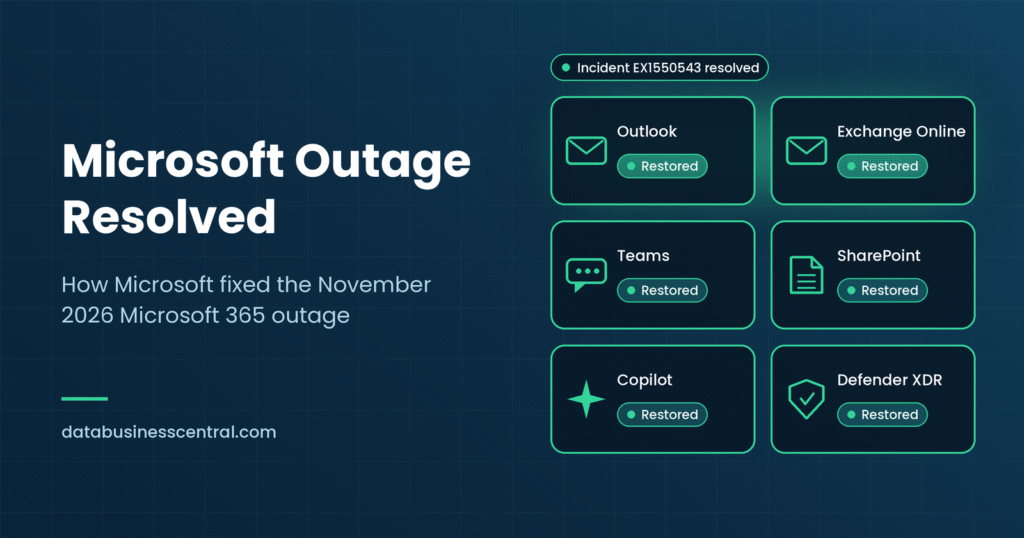
Status box Last updated: November 16, 2026 Outage status: Resolved. Microsoft marked the Exchange Online incident (EX1550543) and the broader Microsoft 365 advisory (MO1550821) as resolved late on Friday, November 13. Root cause: Preliminary only. Microsoft says the incident was introduced by an issue during an earlier network capacity upgrade that surfaced after a recent network change. Post-incident report: Promised by Microsoft, with a preliminary version due within two business days and a final version within five. Check the admin center for publication.
When Outlook, Exchange Online, Teams and other Microsoft 365 services failed on Thursday, November 12, 2026, the first question for millions of people was simple: what is going on? A few days later, the question has changed. The Microsoft outage is resolved, so how did Microsoft fix it?
This guide walks through the recovery step by step, explains the root cause Microsoft has given so far, covers what happened to delayed email, and lists what IT teams and business leaders should do now. If you want the full story of the outage itself, read our earlier report on the Microsoft outage in November 2026.
Quick Answer: How Did Microsoft Resolve the Outage?
- Microsoft stopped making changes. It paused deployments to avoid adding more variables while engineers investigated.
- It restarted and isolated servers. Engineers brought failed servers back into service in a controlled way and watched whether they stayed healthy under real traffic.
- It steered and limited traffic. Microsoft redirected connections, spread load across broader infrastructure and temporarily restricted some types of traffic to the affected systems.
- It rolled back and rebuilt. Reports say Microsoft began rolling back a recent network configuration change and rebuilt a subset of servers using a previous configuration.
- It restored service gradually. Microsoft said it validated stability at each stage rather than switching everything back at once.
- It protected delayed email. Microsoft extended the email timeout window to 48 hours so that delayed messages could be preserved while backlogs cleared.
- It declared the incident resolved late on Friday, November 13, after the underlying issue was addressed, and promised a full post-incident report.
1. A Quick Recap: What Went Wrong
The problems began on Thursday afternoon in the US, when users could not reliably connect to Exchange Online mailboxes through Outlook on the web, the desktop app and several other connection methods. Microsoft later widened its warning to include Teams, SharePoint Online, Microsoft 365 Copilot and Defender XDR, and eventually listed more than a dozen affected services, including Planner, To Do, Intune, Purview and part of Power BI.
Microsoft’s early explanation was that a large number of servers were failing automated health checks and dropping out of service. That pushed their work onto the remaining servers, which then struggled as well. Microsoft also said a core process responsible for establishing secure connections on the affected servers was becoming overwhelmed, causing a loss of capacity.
Reuters reported that the disruption lasted more than five hours on Thursday, and it continued in some regions into Friday, November 13, including reports of problems spreading to UK services.
2. How Microsoft Resolved the Outage, Step by Step
Microsoft’s public updates describe an incident that did not have a one-click fix. Early efforts did not deliver the relief engineers expected, and at one point Microsoft said it was opening all available pathways to restore service. The recovery combined several approaches, summarized below.
| Phase | What Microsoft did | Why it mattered |
|---|---|---|
| 1. Diagnose | Identified that servers were failing health checks and that a core connection-handling process was overwhelmed | Pinpointed where capacity was being lost |
| 2. Freeze changes | Paused deployments to the affected environment | Avoided making a complicated situation worse |
| 3. Restart and return servers | Restarted failed servers and returned some to service in isolation | Let engineers test recovery safely before exposing servers to full traffic |
| 4. Redirect and redistribute traffic | Moved connections away from affected infrastructure and spread load across worldwide capacity | Reduced pressure on struggling servers |
| 5. Limit certain traffic | Temporarily restricted which types of traffic could reach the affected infrastructure | Helped servers stay stable long enough to recover |
| 6. Roll back and rebuild | Began rolling back a recent network configuration change and rebuilt a subset of servers with a previous configuration | Removed the likely trigger and replaced unstable machines |
| 7. Automate recovery | Prepared automated tools to detect and restart unresponsive servers | Sped up repeated recovery as capacity returned |
| 8. Restore gradually | Brought services back region by region and validated stability at each stage | Prevented relapses |
| 9. Clear backlogs | Prioritized queue and backlog processing and extended the email timeout window to 48 hours | Protected delayed messages |
| 10. Close the incident | Marked the incident resolved after addressing the underlying issue | Moved to post-incident review |
The relapse problem
One of the hardest parts of the recovery was that servers brought back online could become unresponsive again as soon as traffic reached them. Microsoft said it was analyzing diagnostic data to find what was triggering that behavior while limiting traffic in parallel.
This is a familiar pattern in large online systems. When a service has been down, millions of clients retry at the same time. The wave of reconnecting traffic can overwhelm freshly restored servers and knock them offline again. Engineers handle this by bringing capacity back slowly, controlling who can connect and watching the numbers closely. That is why Microsoft kept describing recovery as gradual.
Why the first fixes did not work
Microsoft acknowledged at one point that its actions so far had not provided the anticipated relief. In complex systems this often means the first theory about the problem is incomplete. Early messages referred to elevated load, but Microsoft later said servers had become unexpectedly unavailable and that traffic had not simply surged. Updating the diagnosis as evidence arrives is normal, but it also explains why the fix took longer than many people hoped.
3. What Caused the Outage? Microsoft’s Preliminary Root Cause
In its closing updates, Microsoft gave a preliminary explanation: the incident was introduced by an issue during an earlier network capacity upgrade, and it surfaced following a recent network change. Microsoft also apologized and said the outage was a technical issue, not related to a cyberattack or to AI agents.
An admin-focused summary of Microsoft’s updates described the preliminary cause as resource contention in the underlying infrastructure, which fits Microsoft’s earlier descriptions of overwhelmed servers and lost capacity. Microsoft has said the final root cause and repair items will appear in its post-incident report.
What a network capacity upgrade means
Cloud providers regularly expand their networks so they can handle growing demand. Think of it as widening a highway while traffic is still flowing. If something about the new configuration interacts badly with existing settings, the strain may not appear right away. It can surface later, when another change or a spike in connections exposes the weakness.
That is a plain-English interpretation of the type of failure Microsoft described, not a detailed account from Microsoft. The precise technical sequence will be clearer once the post-incident report is out.
Was it a cyberattack?
No evidence of one has emerged. Microsoft said it was not aware of malicious activity and described the incident as a technical issue. Security researchers and news outlets that covered the outage reported the same. The final report should confirm this in detail.
A familiar pattern
Many of the biggest cloud outages trace back to the provider’s own changes rather than outside attackers. Microsoft attributed a major January 2023 Outlook and Teams outage to a network change that it rolled back, and a November 2024 incident to a change that triggered a flood of retries. The November 2026 event adds to a list of reminders that changes in huge, interconnected systems carry risk, even when they are routine and carefully planned.
4. Why Did It Take So Long to Fix?
A fix that takes more than a day can feel unreasonable from the outside. Several factors help explain it:
- Scale. Exchange Online serves a vast number of mailboxes worldwide, and many other services depend on it.
- Interdependence. Teams, Copilot, security tools and automations all rely on Exchange data, so recovery had to be coordinated across many services.
- Cascading failures. When some servers fail, the remaining servers take on more work and are more likely to fail too.
- Relapses under load. Restored servers could fail again once traffic returned, which forced slower, more careful restoration.
- Safety first. Restoring too quickly risks repeating the failure. Microsoft said it validated stability at every stage.
- Backlogs. After services return, queued messages and delayed processing take time to flush.
- Regional rollouts. Service came back unevenly across regions, so some customers recovered before others.
5. What Happened to Delayed and Missing Email?
For many organizations, the biggest worry was whether messages would be lost.
What Microsoft said
Microsoft said it extended the email timeout window to 48 hours to help protect delayed messages, and that it was prioritizing queue and backlog processing as service recovered.
What this means in practice
- Most delayed mail should eventually arrive. Sending servers usually retry delivery for a period of time, and the longer window gives more room for messages to get through.
- Delays were more likely than permanent loss. None of the public updates reviewed for this article reported permanent mailbox data loss.
- Some senders may have received bounce messages. Non-delivery reports are possible when a message cannot be delivered within a sender’s own retry limits.
- Duplicates or timing oddities are possible in any large email recovery. Watch for repeated messages or out-of-order calendar updates.
- Critical messages are worth confirming by another channel, such as phone or an alternative messaging tool.
If your organization depends on time-sensitive email, such as legal deadlines, bids or financial confirmations, check with the other party rather than assuming delivery.
6. What the Post-Incident Report Should Tell Us
Microsoft publishes post-incident reports (PIRs) for major incidents, and it has promised one for this event. Based on Microsoft’s statements, the preliminary report is expected within two business days and the final report within five.
What to look for
- The precise root cause. What exactly went wrong in the network capacity upgrade, and why it surfaced when it did.
- The trigger. Whether the recent network change was the direct cause or simply exposed an earlier problem.
- Why detection and recovery took as long as they did.
- Why safeguards did not stop it. For example, testing, staged rollouts or automated rollback.
- Customer impact. Which services, regions and time windows were affected.
- Repair items. Microsoft usually lists specific changes, sometimes called defense-in-depth actions, it will make to prevent a repeat.
Where to find it
Admins can find the report in the Microsoft 365 admin center under Service health. When Microsoft publishes it, the incident status changes to indicate that the post-incident report is available. If you are not an admin, ask your IT team or Microsoft partner to share it.
7. What Businesses and IT Teams Should Do Now
Resolution does not mean the work is over. Use this checklist to close out the incident properly.
| Step | What to do | Why |
|---|---|---|
| 1. Verify mail flow | Send test messages in and out; check mail queues and message trace for failures | Confirms normal delivery has returned |
| 2. Hunt for missing or delayed mail | Ask key teams and customers about messages that never arrived | Catches issues before they become disputes |
| 3. Check bounces and duplicates | Review non-delivery reports and unusual repeated messages | Identifies messages that need resending |
| 4. Audit automations | Check Power Automate flows, ticketing systems, approvals and integrations that depend on email | Many failed silently and may need re-running |
| 5. Review security alerts | Look for alert gaps in Defender, Purview and Intune during the outage window | Ensures nothing slipped through during reduced visibility |
| 6. Watch for phishing | Warn staff about messages referencing the outage or asking for credentials | Attackers exploit confusion after incidents |
| 7. Document the timeline | Record start, end, affected users and business impact | Supports SLA claims, audits and insurance |
| 8. Review your SLA | Microsoft 365 includes a financially backed uptime commitment with service credits; check your agreement and claim process | Credits are usually limited, but they require documentation |
| 9. Communicate | Tell employees, customers and partners what happened and what you are doing | Rebuilds trust and reduces repeat questions |
| 10. Run a lessons-learned review | Ask what worked, what failed and what you will change | Turns the incident into improvement |
Communicate clearly with customers
Even if the problem was not your fault, customers care about how you handled it. A short, honest message that explains the delay, confirms that data is safe and offers an alternate contact for urgent matters goes a long way.
8. Lessons for Businesses: Building Resilience Before the Next Outage
The recovery showed what Microsoft can do after a failure. The more useful question for most organizations is what you can do before one.
Plan for communication without your primary tools
If email and chat are down, how will you reach your team and customers? Keep contact lists outside Microsoft 365 and agree on a backup channel, such as SMS, a separate chat app or a phone tree.
Reduce single points of failure
Map which processes depend on Exchange Online, Teams, SharePoint and identity services. For the most critical ones, add fallbacks such as an email continuity service, offline document access and emergency admin accounts. Good governance helps here, because you can only protect what you have mapped. A clear data governance framework shows which data and processes are truly critical.
Monitor independently
Set up alerts that do not rely on the platform that might fail. Service health emails sent through Exchange will not arrive if Exchange is down.
Prepare your AI and automation for failure
AI assistants and agents connected to email and calendars stop working when those sources fail, and some fail silently, producing incomplete answers. Design workflows to retry, alert humans and degrade gracefully. Our guide to AI context engineering explains how to make agents depend on governed, reliable data connections.
Weigh control and portability
The outage fuels a broader conversation about concentration risk and how much control organizations have over critical systems. Our guide to sovereign AI explores how businesses balance control, compliance and convenience, though sovereignty does not by itself prevent outages.
Practice the drill
Run a tabletop exercise at least once a year. Simulate a multi-hour loss of email and chat, and see who does what. The first time you try it should not be during a real incident.
9. Understanding Microsoft’s Incident Language
Service health messages use terms that are easy to misread. Here is a quick guide.
| Term | What it usually means |
|---|---|
| Investigating | Microsoft knows about the problem but has not found the cause |
| Service degradation | Some or all users are experiencing reduced performance or failures |
| Mitigation | Actions taken to reduce the impact, not necessarily the final fix |
| Recovery | Capacity and service are returning, often gradually and unevenly |
| Resolved | Microsoft considers service restored and the incident closed |
| Preliminary root cause | An early explanation that may be refined |
| Post-incident report (PIR) | A formal review with the root cause, timeline and prevention steps |
A useful rule: mitigation is not resolution, and resolution is not the end of the story. The post-incident report is the authoritative account.
10. Frequently Asked Questions
Is the Microsoft outage resolved?
Yes. Microsoft marked the Exchange Online incident (EX1550543) and the wider Microsoft 365 advisory (MO1550821) as resolved late on Friday, November 13, 2026, after the disruption that began on Thursday. Microsoft has said a full post-incident report will follow.
How did Microsoft fix the Microsoft 365 outage?
Microsoft paused deployments, restarted and isolated servers, redirected and limited traffic, rolled back a recent network configuration change, rebuilt some servers with a previous configuration, and restored service gradually while validating stability. It also extended the email timeout window to 48 hours to protect delayed messages.
What caused the Microsoft outage?
Microsoft’s preliminary explanation is that the incident was introduced by an issue during an earlier network capacity upgrade and surfaced after a recent network change. Earlier updates said servers failed health checks and a core connection process became overwhelmed. The final root cause is due in the post-incident report.
Was the Microsoft outage a cyberattack?
No evidence of an attack has been reported. Microsoft said it was not aware of malicious activity and described the incident as a technical issue unrelated to cyber threats or AI agents.
Why did the Microsoft outage take so long to fix?
The failure cascaded across many servers and services, restored servers could fail again when traffic returned, and Microsoft chose to restore capacity gradually to avoid repeat failures. Clearing message backlogs added more time.
Did anyone lose email during the outage?
Public updates focused on delayed delivery, and Microsoft extended its email timeout window to 48 hours to protect delayed messages. None of the updates reviewed reported permanent mailbox data loss, but some senders may have received bounce messages, so verify any critical messages.
When will Microsoft publish the post-incident report?
Microsoft said it would publish a preliminary report within two business days and a final report within five. Check the Service health section of the Microsoft 365 admin center for the current status.
Will Microsoft compensate customers?
Microsoft 365 includes a financially backed service level agreement with service credits if uptime falls below the committed level. Credits depend on your agreement and documented downtime, and they generally do not cover business losses. Speak with your Microsoft representative or partner.
Could this happen again?
It is possible. Large cloud providers invest heavily in reliability, but complex systems and routine changes carry inherent risk. The practical response is to build resilience on your side, with backup communication, monitoring, fallbacks and practiced runbooks.
Where can I get official updates?
Use the Service health page in the Microsoft 365 admin center, the public status page at status.cloud.microsoft and the official Microsoft 365 Status account on X. Outage trackers such as Downdetector show user reports but are not official sources.
Final Thoughts
The November 2026 Microsoft 365 outage ended the way most large cloud incidents do: with a patient, step-by-step recovery rather than a single dramatic fix. Microsoft froze changes, restarted and isolated servers, controlled traffic, rolled back and rebuilt the affected infrastructure, and brought services back gradually while protecting delayed email.
The real learning will come with the post-incident report, which should explain the root cause and what Microsoft will change to prevent a repeat. For your own organization, the takeaway is practical. Know your dependencies, keep a way to communicate when your main tools fail, test your fallbacks and use this incident as a prompt to improve before the next one.
We will update this article when Microsoft publishes its post-incident report. For more guides on AI, cloud and enterprise technology, browse our artificial intelligence category on Data Business Central.
Sources and Further Reading
This article draws on Microsoft 365 Status updates and incident records (EX1550543 and MO1550821), along with reporting from Reuters, TIME, TechRadar, SecurityWeek, BleepingComputer and Macworld, and IT-admin incident trackers. Times and details varied slightly across sources and may change when Microsoft’s post-incident report is published.
This article is for general information and may be updated or corrected as Microsoft releases more details.
