By Eylon Sabag
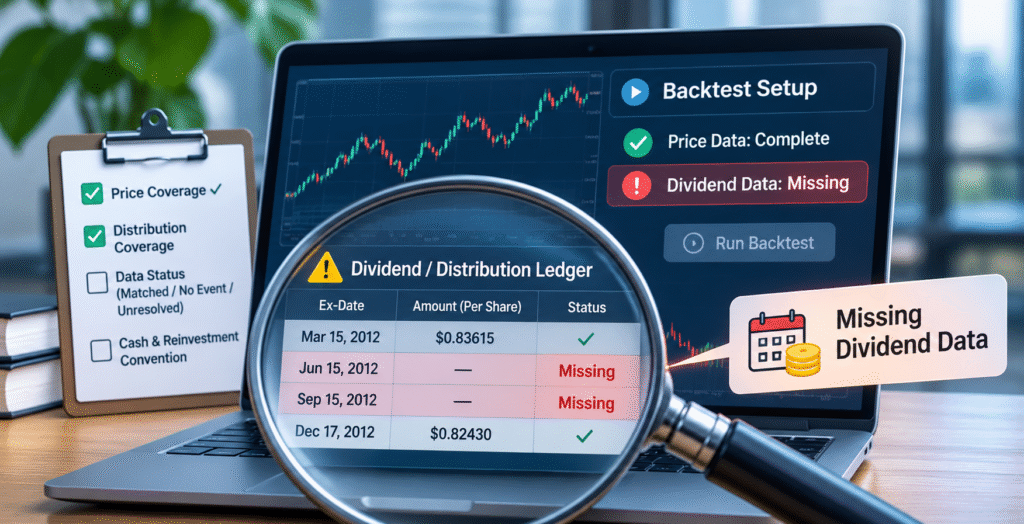
A daily price chart can look complete even when the data needed to calculate an investor’s return is missing. You can check that every expected trading session has a closing price, draw a clean chart, and still have gaps in the fund’s distribution history. The danger comes when a backtest treats each of those gaps as a day when nothing happened. The run finishes, the results look precise, and there is no indication that some of the cash a shareholder would have received was left out.
The best time to catch that problem is before calculating returns. Check price coverage and distribution coverage separately, and decide in advance what you will publish if either is incomplete.
1. Audit price coverage and distribution coverage separately
Start with the price file. Check it against the expected trading calendar, look for duplicate or missing dates, and identify the basis of each field you use. A file can contain raw closes, split-adjusted closes, or a series adjusted for both splits and cash distributions. Get the exact definition from the data documentation. “Adjusted close” by itself is too vague to tell you what a series includes.
Then check a second input: the event ledger. For cash distributions, collect the security identifier, ex-date, payable date, currency and amount per share. Keep the record date where it is available. Make sure the event amounts and the modeled share count use a consistent split basis. Fund distributions can come from income, realized capital gains or a return of capital, so a field that covers only one category may not contain all the cash events the simulation needs. Investor.gov: Fund distributions
2. Give an empty record a status
A blank in an event file can mean several things. The fund may have made no payment. The provider may not cover that part of the history. Two files may record the same payment under different dates. Give each period one of three statuses: matched, verified no event, or unresolved. Keep a note of the evidence behind the label. Silence in the same file you are trying to audit does not establish that no payment was made.
Start with the issuer’s historical distribution data. For example, the iShares TLT distribution table lists the ex-date, record date, payable date and total distribution separately. When reconciling two sources, compare like dates. The ex-date determines which side of a purchase is entitled to the payment; the payable date concerns when the cash is delivered. Your model needs an explicit convention for both entitlement and when that cash is available to reinvest. Investor.gov: Ex-dividend dates
A quarterly total can flag a discrepancy. It cannot tell a model whether it owned shares on the relevant ex-dates. If a quarterly check fails, go back to the individual events before trying to repair the return calculation.
3. Worked example: An omitted TLT backtest
In a historical study I worked on, we planned to test a 200-day moving-average rule on the iShares 20+ Year Treasury Bond ETF (TLT) against holding the same fund. Our published methodology says the data provider was missing most of the fund’s distributions from 2007 through 2012. We dropped the test before publication rather than report returns built on an incomplete cash ledger.
There is a public way to cross-check part of that period. A June 2013 Citigroup pricing supplement filed with the SEC, page PS-11 reports positive quarterly dividends for all 20 quarters from 2008 through 2012. Its second-quarter 2012 row reports a high closing price of $130.36, a low closing price of $110.58 and $0.83615 in dividends per share. The filing attributes the table to Bloomberg and says the figures were not independently verified.
If an extract has price rows for that quarter but reports no cash distributions, the discrepancy is enough to flag the file for review. If your extract groups events by ex-date, check that date convention against the filing’s description of dividends paid before comparing totals. The filing does not cover 2007, provide individual ex-dates or tell us which rows the study provider missed. It is a check on coverage, not a replacement for the cash ledger. Nor does it tell us which result would change more after repair: the rule and the holding benchmark may have owned different numbers of shares on different ex-dates.
4. Decide what the data can support
If the question is about price movement, a price-only comparison can be useful. Use the same asset, dates and split basis for both legs, omit distributions from both, and label both results price-only beside the chart or table. A series that already incorporates distributions is unsuitable for that comparison unless you can obtain or reconstruct a consistent price-only basis.
If the question is about total return, reconcile the event ledger or use a documented total-return method appropriate to both legs. Do not add a separate cash payment to a return series that already incorporates the same distribution. In a cash-ledger simulation, document the treatment of payments due but not yet received at the end of the test. If the missing inputs cannot be resolved, omit the affected comparison and explain why.
Before running the backtest:
• Verify the price calendar and adjustment basis.
• Verify distributions against a source with independent coverage, and save the source and date checked.
• Mark missing or conflicting periods as unresolved rather than filling them with zero.
• Record the cash and reinvestment convention before calculating returns.
• Publish both legs on the same stated basis, or explain why the data cannot support the comparison.
Author bio: Eylon Sabag is the founder of eStockes, a browser-based stock and ETF research tool. He works on making the assumptions behind historical trading simulations easier to inspect.
This article is for educational purposes only and is not investment advice.
