Choosing an enterprise business management platform is a major decision. The right system can simplify financial operations, improve visibility across departments, reduce manual work, and give growing businesses a stronger foundation for scaling.
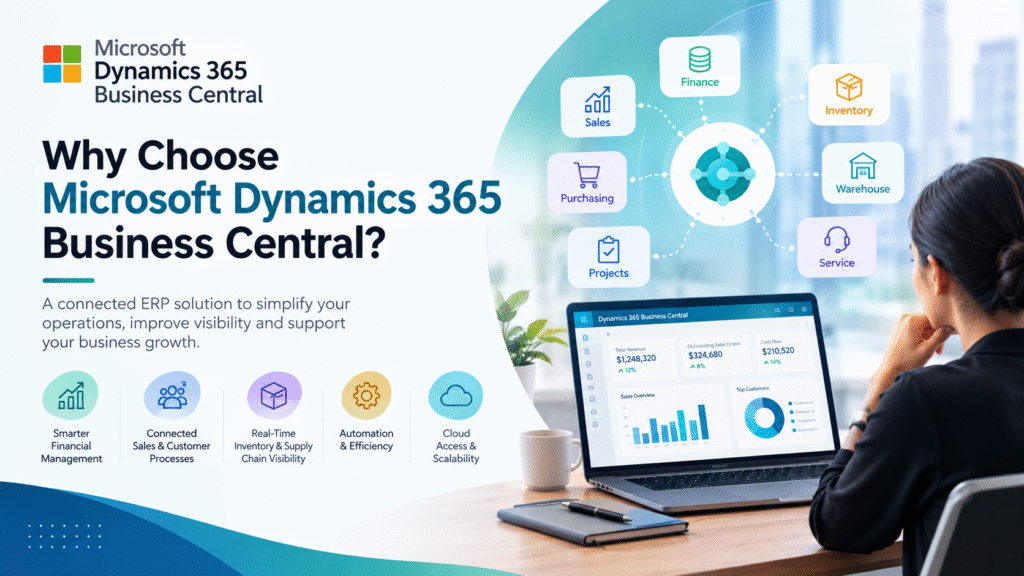
Microsoft Dynamics 365 Business Central is an ERP solution designed primarily for small and midsize organizations that need to connect finance, sales, purchasing, inventory, projects, and other core business processes in one platform.
But choosing an ERP should not be based simply on how many features a product offers. The more important question is whether it solves your organization’s actual problems.
This guide explains why businesses choose Microsoft Dynamics 365 Business Central, what it can help with, who it is suitable for, and what you should evaluate before implementation.
What Is Microsoft Dynamics 365 Business Central?
Microsoft Dynamics 365 Business Central is a cloud-based enterprise resource planning (ERP) platform from Microsoft.
It brings several business functions into a connected environment, including:
- Financial management
- Sales and customer management
- Purchasing
- Inventory management
- Warehouse operations
- Supply chain processes
- Project management
- Service management
- Reporting and analytics
Instead of maintaining separate systems for different departments, businesses can use Business Central to connect important operational and financial information.
For example, when a sales order is created, relevant information can flow into inventory, fulfillment, invoicing, and financial processes. This reduces the need for employees to repeatedly enter the same information into different systems.
Why Do Businesses Consider Business Central?
Businesses typically start evaluating an ERP when existing systems become difficult to manage.
Common warning signs include:
- Finance teams rely heavily on spreadsheets.
- Different departments maintain separate databases.
- Employees manually transfer information between applications.
- Management cannot quickly access reliable business data.
- Inventory information is difficult to reconcile.
- Financial reporting takes too long.
- The company is expanding into new locations or markets.
- Existing software requires too many workarounds.
- Integrating new applications has become difficult.
Business Central can address many of these challenges by providing a connected platform for core business operations.
However, an ERP implementation does not automatically solve process problems. Organizations still need clear workflows, accurate data, appropriate configuration, user training, and ongoing management.
1. Connected Financial Management
Finance is one of the strongest reasons organizations evaluate Business Central.
The platform can bring together accounting, budgeting, accounts payable, accounts receivable, cash management, fixed assets, and financial reporting.
This gives finance teams a more connected view of business activity.
For example, instead of reconciling information from multiple disconnected systems, a finance team can work from data connected to sales, purchasing, inventory, and other operational processes.
How this can help
A connected financial system can help businesses:
- Reduce repetitive data entry
- Improve financial visibility
- Standardize accounting processes
- Track receivables and payables
- Monitor cash flow
- Prepare financial reports more efficiently
- Maintain better connections between operational and financial data
The practical benefit is not simply having accounting software. It is having financial information connected to the activities that create it.
2. Better Visibility Across the Business
One of the biggest problems with disconnected systems is fragmented information.
A sales team may have one view of an order. The warehouse may have another. Finance may have a different record.
Business Central is designed to connect these processes.
For example:
Customer order → Inventory → Fulfillment → Invoice → Financial records
When these processes are connected, managers can spend less time collecting information manually and more time analyzing what the information means.
This can be particularly useful for businesses where operational decisions depend heavily on accurate and timely data.
3. Integrated Sales and Customer Processes
Business Central can help businesses manage sales activities alongside financial and operational processes.
Depending on the organization’s configuration, teams can manage areas such as:
- Customers
- Quotes
- Sales orders
- Invoices
- Customer balances
- Pricing
- Discounts
- Returns
This creates a stronger connection between customer transactions and back-office operations.
For businesses that already use Microsoft’s wider business ecosystem, this can also make it easier to connect Business Central with other Microsoft applications.
4. Inventory and Supply Chain Management
Inventory problems can quickly affect customer satisfaction and cash flow.
Too much inventory ties up capital. Too little inventory can lead to delays and lost sales.
Business Central provides inventory and supply chain capabilities that can help organizations track products and manage purchasing, stock, fulfillment, and related processes.
Businesses can use the system to improve visibility into areas such as:
- Inventory quantities
- Item availability
- Purchasing
- Sales demand
- Warehousing
- Stock movements
- Replenishment
- Product costing
The goal is not simply to know how much inventory exists.
The more useful objective is to understand where inventory is, how it is moving, and how it affects purchasing, sales, and financial performance.
5. Microsoft 365 Integration
For organizations already using Microsoft products, the Microsoft ecosystem can be an important consideration.
Business Central can work with applications and services within Microsoft’s broader ecosystem, including Microsoft 365 and Power Platform capabilities.
For example, organizations may connect ERP information with tools used for:
- Communication
- Collaboration
- Reporting
- Workflow automation
- Data analysis
This can reduce the need for employees to constantly switch between unrelated systems.
However, integration requirements vary by organization. Before implementation, businesses should map the specific applications they use and determine which integrations are available natively, which require configuration, and which require additional development.
6. Power BI for Business Reporting
Having business data is only useful when people can understand and act on it.
Business Central can be connected with Microsoft Power BI to support reporting and visualization.
Organizations can use analytics to examine areas such as:
- Revenue
- Expenses
- Sales performance
- Inventory
- Customer activity
- Profitability
- Operational trends
Instead of relying exclusively on static spreadsheets, management can build dashboards that make important metrics easier to monitor.
A useful reporting strategy should begin with business questions rather than dashboards.
For example:
Weak approach:
“Let’s build a sales dashboard.”
Better approach:
“Which products, customers, and regions are driving changes in gross margin?”
The second question produces reporting that is much more actionable.
7. Cloud-Based ERP
Business Central is available as a cloud ERP.
Cloud deployment can reduce the need for organizations to maintain their own ERP infrastructure and can make it easier for authorized users to access the system from different locations.
This can be useful for businesses with:
- Distributed teams
- Multiple offices
- Hybrid work environments
- Growing operations
- Remote finance teams
Cloud deployment can also simplify aspects of software maintenance and updates compared with traditional on-premises infrastructure.
Organizations should still evaluate security, compliance, data residency, access controls, backup requirements, and integration architecture before selecting a deployment approach.
8. Scalability for Growing Businesses
A system that works for a company with 20 employees may not work efficiently when that company becomes significantly larger.
Business Central is designed for small and midsize businesses that need an ERP capable of supporting growth.
Businesses can expand their use of the platform as processes become more sophisticated.
For example, a company may initially focus on:
Accounting + Sales + Purchasing
Later, it may introduce:
Inventory + Warehouse + Manufacturing + Projects + Advanced Reporting
This allows organizations to build their ERP environment around evolving business requirements rather than replacing the entire system whenever the business changes.
9. Customization and Extensibility
Every business has processes that are different from its competitors.
A standard ERP cannot reasonably contain every organization’s exact workflow.
Business Central supports customization and extensions that can adapt the system to specific business requirements.
Organizations may customize areas such as:
- Workflows
- Reports
- Fields
- Business processes
- Integrations
- Industry-specific functionality
The important consideration is to avoid excessive customization.
Before requesting a custom feature, ask:
- Is the capability already available?
- Can configuration solve the requirement?
- Is an extension available?
- Does customization create future maintenance costs?
A highly customized ERP can become difficult and expensive to maintain.
10. Automation Can Reduce Repetitive Work
Manual processes consume employee time and increase the possibility of human error.
Business Central supports workflows and automation for various business processes.
Examples include:
- Approval workflows
- Purchase approvals
- Invoice processing
- Notifications
- Recurring financial activities
- Data synchronization
- Automated business rules
The best automation opportunities are usually repetitive, rules-based tasks.
Before automating a process, document the existing workflow first. Automating a poorly designed process can simply make a bad process run faster.
11. Business Central Can Support Multiple Industries
Business Central is not limited to one type of company.
It can be used by organizations operating across different industries, including areas such as:
- Professional services
- Distribution
- Retail
- Manufacturing
- Wholesale
- Construction
- Technology
- Consumer products
However, industry fit should be evaluated carefully.
Two businesses can have completely different ERP requirements even if they belong to the same industry.
A manufacturer with complex production planning, for example, may have significantly different requirements from a professional services company.
12. Stronger Data Consistency
Data duplication is a common problem in organizations using disconnected applications.
For example, the same customer may appear in:
- CRM
- Accounting software
- Sales spreadsheets
- Billing systems
- Customer support tools
If these records are not synchronized, employees may work with different versions of the truth.
A connected ERP can help establish more consistent master data and transactional information.
But technology alone cannot guarantee data quality.
Organizations should establish clear rules for:
- Customer records
- Product records
- Vendor records
- Financial dimensions
- Data ownership
- Data validation
13. Easier Access to Business Information
Managers often need answers to questions such as:
- What did we sell this month?
- Which customers are overdue?
- Which products are selling fastest?
- What inventory is available?
- What are our major expenses?
- Which projects are profitable?
- What is our current cash position?
If answering these questions requires multiple spreadsheets and manual reconciliation, decision-making becomes slower.
A connected ERP can make operational and financial information easier to access.
The real benefit comes when employees can turn that information into action.
Business Central vs. Separate Business Applications
Consider a company using separate applications for finance, inventory, sales, purchasing, and reporting.
A typical workflow might look like:
Sales system → Spreadsheet → Inventory system → Accounting system → Reporting spreadsheet
Every transfer creates another opportunity for delays or errors.
With an integrated ERP, the process can become more connected:
Sales → Inventory → Fulfillment → Invoice → Finance → Reporting
The exact workflow depends on configuration and business requirements, but the underlying principle remains the same: reduce unnecessary information silos.
Who Should Consider Microsoft Dynamics 365 Business Central?
Business Central may be worth evaluating if your organization:
- Has outgrown basic accounting software
- Needs integrated financial and operational processes
- Uses Microsoft products extensively
- Wants a cloud ERP
- Needs better inventory visibility
- Has multiple departments working with disconnected data
- Is expanding operations
- Needs stronger reporting
- Wants to automate repetitive business processes
It may require additional evaluation if your organization has highly specialized ERP requirements, extremely complex enterprise operations, or industry-specific processes that require substantial customization.
The correct decision depends on your business requirements rather than the software’s popularity.
What Should You Check Before Choosing Business Central?
Before purchasing or implementing an ERP, create a requirements checklist.
Business requirements
Document:
- Current business processes
- Existing software
- Major pain points
- Required integrations
- Reporting requirements
- Compliance requirements
- Number of users
- Locations and legal entities
- Expected growth
Technical requirements
Evaluate:
- Integration requirements
- Data migration
- Security
- User permissions
- APIs
- Customization
- Reporting
- Backup and recovery
- Support requirements
Financial requirements
Calculate the expected:
- Software costs
- Implementation costs
- Migration costs
- Customization costs
- Training costs
- Integration costs
- Ongoing support costs
Do not evaluate an ERP solely by its subscription price.
The total cost of ownership is much more useful.
How to Prepare for a Business Central Implementation
Successful ERP implementation starts before the software is configured.
Step 1: Document your existing processes
Write down how your business currently handles finance, sales, purchasing, inventory, and other important workflows.
Step 2: Identify process problems
Separate genuine business requirements from habits that exist simply because the old system works that way.
Step 3: Clean your data
Remove duplicate, outdated, and inaccurate records before migration.
Step 4: Define your integrations
List every system that needs to exchange information with Business Central.
Step 5: Define reporting requirements
Identify the metrics management actually needs before building dashboards.
Step 6: Train users
ERP adoption depends heavily on whether employees understand how and why they should use the new system.
Step 7: Measure the results
After implementation, track measurable outcomes such as:
- Time spent on financial reporting
- Order processing time
- Inventory accuracy
- Manual data entry
- Invoice processing time
- User adoption
- Reporting speed
This makes it possible to determine whether the ERP implementation is delivering the expected business value.
Common Mistakes to Avoid
Choosing Business Central does not guarantee a successful ERP project.
Avoid these common mistakes:
1. Choosing software before defining requirements
Start with business problems, not product features.
2. Migrating unnecessary data
Old and inaccurate data can create problems in the new system.
3. Over-customizing the platform
Customization should solve a genuine business requirement rather than reproduce every limitation of an old system.
4. Ignoring employee adoption
Employees need training and clear processes.
5. Underestimating integration work
ERP projects often involve more integrations than organizations initially expect.
6. Focusing only on implementation
An ERP requires ongoing optimization after launch.
Frequently Asked Questions
Is Microsoft Dynamics 365 Business Central an ERP?
Yes. Business Central is Microsoft’s ERP platform aimed primarily at small and midsize organizations. It connects financial and operational business processes within a single platform.
Is Business Central suitable for small businesses?
It can be suitable for growing small and midsize businesses that have outgrown basic accounting or disconnected business applications. Suitability depends on the organization’s complexity, budget, processes, and growth plans.
What is Business Central mainly used for?
It can be used for financial management, sales, purchasing, inventory, supply chain operations, warehouse processes, project management, service management, reporting, and related business processes.
Is Business Central cloud-based?
Microsoft offers Business Central as a cloud ERP, allowing organizations to use the platform without managing traditional ERP infrastructure themselves.
Can Business Central integrate with Microsoft 365?
Yes. Business Central is designed to work with Microsoft’s broader ecosystem, including Microsoft 365 and Power Platform capabilities. Specific integration capabilities depend on the application and business requirements.
Can Business Central replace Excel?
Business Central does not necessarily replace every use of Excel. Excel can remain useful for analysis and ad hoc work. The goal is to reduce reliance on spreadsheets for core transactional processes where a controlled system of record is more appropriate.
Can Business Central be customized?
Yes. Business Central supports configuration, extensions, integrations, and other customization options. Organizations should prioritize standard functionality where possible to reduce long-term complexity.
How long does a Business Central implementation take?
There is no single implementation timeline. Project duration depends on factors such as company size, number of users, data migration, integrations, customization, business complexity, and implementation scope.
Is Business Central suitable for large enterprises?
Business Central is positioned primarily for small and midsize organizations. Larger organizations with complex enterprise requirements should compare it with other ERP products and evaluate their specific operational, geographic, scalability, and compliance needs.
What should I consider before choosing Business Central?
Start by evaluating your business processes, users, integrations, reporting requirements, data migration needs, security requirements, implementation budget, customization requirements, and expected growth.
Final Thoughts
Microsoft Dynamics 365 Business Central can provide businesses with a connected environment for managing finance and core operations.
Its potential value comes from more than individual features. The bigger opportunity is connecting processes that previously operated in separate systems.
For a growing organization, that can mean better access to information, fewer manual processes, improved visibility, and a stronger foundation for future growth.
But Business Central should not automatically be considered the right ERP for every organization.
The best starting point is your business.
Document your current processes, identify your biggest operational problems, define what the future system must accomplish, and then evaluate whether Business Central meets those requirements.
That approach helps ensure that your ERP decision is based on measurable business needs rather than simply choosing software because it has a long list of features.
