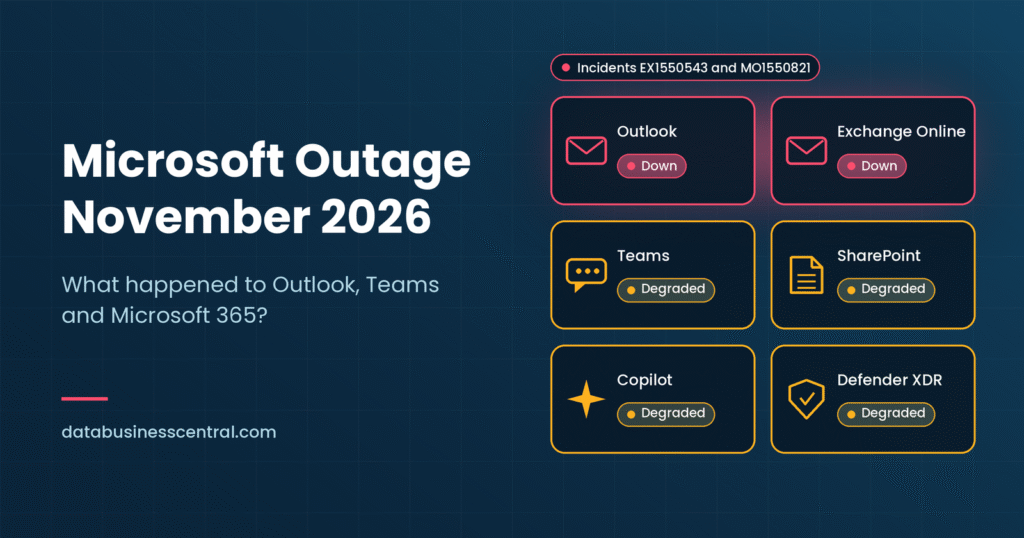
Live status box Last updated: November 13, 2026 Status at last check: In the most recent reports we reviewed, Microsoft had reported limited and gradual recovery but had not declared the incident fully resolved, and had not published a final root cause. Incident IDs: EX1550543 (Exchange Online) and MO1550821 (Microsoft 365 suite) Check official updates: Microsoft 365 admin center (Service health), status.cloud.microsoft, and the @MSFT365Status account on X
If you tried to open your inbox on Thursday afternoon and got nothing but error messages, you were not alone. On November 12, 2026, a widespread Microsoft 365 outage disrupted Outlook, Exchange Online and a growing list of connected services, leaving businesses across the Americas, and users in other regions too, without reliable email, calendars and collaboration tools for hours.
If you are searching “Microsoft outage today” or wondering why Outlook email is not working, this guide explains what happened, which services were hit, what Microsoft has said about the cause, how the outage affects businesses and how to prepare for the next Microsoft cloud outage.
Quick Answer: What Happened to Outlook, Teams and Microsoft 365?
- When: The problems began around midday Eastern Time on Thursday, November 12, 2026. Microsoft first flagged an Exchange Online issue shortly before 1 p.m. ET.
- What broke: Users could not reliably connect to Exchange Online mailboxes, which disrupted Outlook and many services that depend on it. Microsoft later listed Teams, SharePoint Online, Microsoft 365 Copilot and Defender XDR among the possibly affected services.
- Scale: Outage tracker Downdetector logged more than 100,000 Outlook problem reports, with Reuters citing a peak of about 138,000 around 1 p.m. ET.
- Duration: Reuters reported disruption lasting more than five hours, and Microsoft was still restoring servers into the evening.
- Cause (so far): Microsoft said a large number of servers failed automated health checks and dropped out of service, pushing work onto remaining machines. It also said a core process on affected servers was becoming overwhelmed. It has not published a final root cause.
- Cyberattack? Microsoft has not attributed the outage to an attack, and no threat actor has claimed it, according to multiple reports.
1. Microsoft Outage Timeline: How the Day Unfolded
The table below summarizes the sequence of events reported by Microsoft and major news outlets. Times are Eastern Time (ET) unless noted.
| Time (approx.) | What happened |
|---|---|
| Before noon | A separate Microsoft Teams incident affected users in North and South America. Microsoft said it was resolved around midday. It is not confirmed whether it is related. |
| ~12:54 p.m. | Microsoft posts about Exchange Online mailbox access problems (incident EX1550543), initially citing the Americas. |
| ~1:00 p.m. | Outlook problem reports on Downdetector surge past 100,000 and peak at roughly 138,000 per Reuters. |
| ~1:26 p.m. | Microsoft opens suite-wide advisory MO1550821, warning that users may be unable to connect to Exchange Online, Teams, SharePoint Online, Microsoft 365 Copilot and Defender XDR. |
| Afternoon | Microsoft first points to elevated load on part of its infrastructure, then explains that servers are failing health checks and becoming unavailable. The list of affected services grows to include Planner, To Do, Purview, Intune, Defender for Office 365 and part of Power BI. |
| Afternoon to evening | Microsoft pauses deployments, restarts servers, redirects traffic, redistributes connections across worldwide infrastructure and begins rolling back a recent network configuration change that coincided with the start of the problems. |
| ~5 to 6 p.m. | Reports fall sharply (Outlook to roughly 34,000 and Microsoft 365 to around 13,000 on Downdetector by the evening), but Microsoft says its actions have not yet provided the expected relief everywhere. |
| ~6 p.m. onward | Microsoft reports limited recovery as some servers return to service, though some restored servers become unresponsive again once traffic reaches them. |
| Late evening into Nov 13 | Microsoft limits certain traffic types to the affected infrastructure, rebuilds a subset of servers with a previous configuration and prepares automated tools to detect and restart unresponsive servers. The incident remains open. |
Because the outage began in the afternoon in the US, it was already Friday, November 13 in parts of Asia and Oceania, where some users also reported trouble.
2. Which Microsoft Services Were Down?
The core of the problem was Exchange Online, the engine behind Outlook email, calendars and contacts in Microsoft 365. Because so many Microsoft tools lean on Exchange, trouble there rippled outward.
| Service | What users experienced |
|---|---|
| Outlook (desktop, web and mobile) | Could not connect to mailboxes, send or receive mail, or load calendars. Microsoft listed Outlook on the web, MAPI, Exchange ActiveSync and the REST API as affected connection methods. |
| Exchange Online | The primary service impacted, with mailbox connection failures across multiple access methods. |
| Microsoft Teams | Possible connectivity problems. Microsoft said features that interact with Exchange Online were affected, while parts that do not depend on it kept working. |
| SharePoint Online | Included in the suite advisory as possibly affected. |
| Microsoft 365 Copilot | Listed as possibly affected, which also hit workflows that rely on mailbox data. |
| Microsoft Defender XDR and Defender for Office 365 | Security tooling listed as possibly affected, raising visibility concerns for security teams. |
| Planner and To Do | Added to the affected list as the incident progressed. |
| Intune and Purview | Device management and compliance services were later reported among the services impacted. |
| Power BI (partial) | Reported as partly affected. |
The disruption also spilled beyond Microsoft’s own apps:
- Third-party mail in Outlook: Some people using Google Workspace email through Outlook clients reported access trouble.
- AI services: Reuters reported that connectors used by AI services from companies including OpenAI and Anthropic were also affected, a reminder of how many tools now depend on Microsoft 365 data.
- Business apps: Any workflow that reads or sends mail through Exchange Online, from invoicing to ticketing to approvals, could stall.
3. Why Is Microsoft Outlook Not Working? How to Tell if It Is You or Microsoft
When Outlook email is not working, the cause is not always a global outage. Use this checklist to work out whether the problem is on your side.
Signs it is a Microsoft-side outage
- Many colleagues, in different locations, have the same problem at once.
- Outlook on the web fails as well as the desktop app.
- The Microsoft 365 admin center or status page shows an active incident.
- Outage trackers such as Downdetector show a sharp spike in reports.
- Your internet is fine and other websites load normally.
Signs it is a local problem
- Only you (or one device) are affected.
- Other Microsoft apps work, but Outlook does not.
- Errors mention your password, profile or add-ins.
- The problem began right after a software update or a password change.
What to do during a confirmed outage
- Do not keep resetting things. Re-adding accounts, reinstalling Outlook or changing passwords will not fix a service-side outage and can create new problems.
- Check official sources first. Look at your admin center, Microsoft’s public status page and the official status account.
- Switch channels. Use phone, text or another approved messaging tool for urgent matters.
- Use cached data. Outlook running in cached mode may still show recent messages and let you draft replies that send when service returns.
- Expect a delayed backlog. Messages sent to you are usually retried by the sending servers for a period of time, so many will arrive late rather than disappear. Policies vary, so critical items are worth confirming another way.
- Wait for stability, not just the first green light. Microsoft warned that recovery would be gradual as clients reconnect.
4. What Caused the Microsoft 365 Outage in November 2026?
At the time of writing, Microsoft has not published a final root cause. Here is what it has said so far, and what remains unknown.
What Microsoft has said
- Failed health checks. A large number of servers failed automated health checks and dropped out of service, which pushed their workload onto the remaining servers.
- Overwhelmed core process. Microsoft said a core process responsible for establishing secure connections on affected servers was becoming overwhelmed, causing capacity loss.
- Not simply more traffic. Early messages mentioned elevated load, but Microsoft later said servers became unexpectedly unavailable and that overall traffic had not increased.
- Restored servers can relapse. Servers returned to service sometimes became unresponsive again once traffic hit them, which made recovery harder.
Possible contributing factors under investigation
Reports say Microsoft began rolling back a recent network configuration change that coincided with the start of the incident, and that it paused deployments while it investigated. Microsoft has not confirmed that a change caused the outage. Treat any theory beyond Microsoft’s own statements as unconfirmed until the post-incident report arrives.
Was it a cyberattack?
This is the question many people ask first. Based on reports so far:
- Microsoft has not attributed the outage to a cyberattack.
- No threat actor has claimed responsibility.
- Microsoft’s public updates describe infrastructure failures and recovery work.
The timing drew attention because the outage came two days after Microsoft’s November Patch Tuesday release, which included a fix for an Outlook vulnerability that attackers were reported to be exploiting. Microsoft’s advisories have not linked that vulnerability to this outage, and there is no public evidence connecting them.
How this compares with past Microsoft 365 outages
Large outages are rarely caused by hackers. History suggests internal changes and infrastructure faults are the more common culprits:
- January 2023: Microsoft said a network change caused a major Outlook and Teams outage and rolled it back.
- November 2024: Microsoft said a change in its environment led to an influx of request retries through affected servers.
- 2026 so far: Microsoft 365 users also experienced disruptions in January and March, according to news reports.
Each incident has different details, but they share a theme: in huge, interconnected cloud systems, one fault or change can cascade quickly.
5. Why Is Microsoft Teams Experiencing Connection Issues?
Teams feels like a standalone app, but it depends on many Microsoft 365 building blocks, including Exchange Online. During this incident:
- A separate Teams incident affected users in the Americas earlier in the day and was reported resolved around midday. Microsoft had not said whether it was connected to the larger outage.
- Later, Teams was named in the suite advisory as a service that users might be unable to connect to.
- Microsoft explained that features interacting with Exchange Online were impacted, while elements that do not depend on Exchange stayed functional.
In practical terms, you might still have been able to join some meetings or chat, but calendar views, meeting scheduling, mailbox-linked features and some integrations could fail or lag. Downdetector reported far fewer Teams problem reports than Outlook reports, which fits the picture of Exchange being the primary issue.
6. What Happens When Exchange Online Goes Down?
Understanding the chain reaction helps explain why one Microsoft Exchange Online outage can feel like everything is broken.
| Area affected | What can go wrong |
|---|---|
| Email access | Users cannot open mailboxes in Outlook desktop, web or mobile. |
| Mail flow | Sending and receiving can fail or be delayed. Incoming messages may queue at the sender’s end and arrive later. |
| Calendars and scheduling | Meeting invites, free/busy lookups and room bookings fail. |
| Teams features | Calendar-dependent and mailbox-dependent features can break. |
| Shared mailboxes | Support, sales and finance inboxes become unreachable. |
| Automations | Power Automate flows, ticketing systems and approvals that rely on email stall. |
| Security and compliance | Alerting, mail protection and investigation workflows may be limited or delayed. |
| Copilot and AI agents | Assistants that read email and calendar data cannot return accurate results. |
| Notifications and codes | Alerts, password-reset messages and some verification emails may not arrive. |
For many companies, email is the front door for customers, the paperwork pipeline for finance and the notification system for IT. When it is unavailable, the effect goes well beyond “I can’t read my messages.”
7. Microsoft Outage Impact on Businesses and Enterprise Operations
The Microsoft 365 outage impact on enterprise operations depends on how deeply a company runs on Microsoft. For some organizations, a five-hour disruption is an inconvenience. For others, it halts revenue-generating work.
Productivity and revenue
Sales teams cannot confirm deals, support teams cannot answer customers, and managers cannot approve purchases. Time-sensitive processes such as month-end close, contract signatures and logistics coordination are especially exposed.
Customer experience
Customers who email support or order desks get bounces or silence. Even short gaps can damage trust when competitors respond promptly.
Security visibility
Because Defender XDR and related security services were listed among the possibly affected services, some security operations teams may have had reduced visibility during the incident. Attackers sometimes exploit confusion during outages, so heightened vigilance for phishing and impersonation is wise.
Compliance and records
Regulated industries must track communications and meet reporting deadlines. Outages complicate recordkeeping, and organizations in financial services should consider operational resilience duties, such as those under the EU’s DORA regulation, when evaluating third-party cloud risk.
AI and automation
As more businesses connect AI assistants and agents to email, calendars and documents, outages also interrupt AI workflows. Agents that depend on Microsoft 365 data can return incomplete answers or fail silently. Our guide to AI context engineering explains why agent reliability depends on dependable data connections and sensible fallbacks.
Employee morale and support load
Help desks are flooded with tickets that are not actually fixable locally. Clear, early communication reduces frustration and ticket volume.
What about financial compensation?
Microsoft 365 comes with a financially backed service level agreement that targets 99.9% monthly uptime for core services, with service credits if the target is missed. Credits are usually small compared with the cost of lost work, so review your agreement and document the outage window if you plan to claim.
8. Microsoft Outage Recovery: Why It Takes Time
The first sign of recovery is not the end of the story. This incident showed why.
Why recovery is gradual
- Servers must be returned safely. Bringing back too much capacity at once can overwhelm systems again.
- Clients reconnect over time. As Microsoft said, users may see gradual recovery as their clients reconnect.
- Relapses happen. Some restored servers became unresponsive once traffic returned, so engineers had to investigate what was triggering it.
- Backlogs must clear. Queued mail and delayed processing can take additional time to flush through.
What Microsoft tried
Based on public updates, the recovery work included pausing deployments, restarting servers, shifting traffic away from affected infrastructure, spreading connections across broader worldwide capacity, limiting certain traffic types, rebuilding some servers with a previous configuration and preparing automated detection and restart tools.
What IT teams should do after service returns
- Confirm stability, not just a single successful login.
- Check mail queues and delivery for missing or delayed messages, especially for critical mailboxes.
- Review automations and integrations that may have failed and need to be rerun.
- Check security alerts that may have been delayed during the outage.
- Send a clear update to employees and customers.
- Record the timeline for SLA, audit and insurance purposes.
- Read Microsoft’s post-incident report when it is published, which typically becomes available in the admin center for major incidents, and update your own runbooks.
9. How to Check Microsoft Service Health Status
Knowing where to look saves valuable time. Here are the main sources, from most to least authoritative.
| Source | Who it is for | Notes |
|---|---|---|
| Microsoft 365 admin center (Service health) | IT admins | Most detailed, with incident IDs such as EX1550543 and MO1550821. May be unavailable during major incidents. |
| status.cloud.microsoft | Anyone | Public status page that works even if the admin center is down. |
| @MSFT365Status on X | Anyone | Quick, official updates with pointers to incident IDs. |
| Azure status page | Azure customers | Covers Azure infrastructure services separately from Microsoft 365. |
| Downdetector and similar trackers | Anyone | User-reported problems and not official, but useful to see scale and geography quickly. |
| Your IT team or managed provider | Employees | Often the best source for how the outage affects your specific setup. |
Tip for admins: Subscribe to service health notifications by email or through an alternate channel, and note that these emails themselves may not arrive if Exchange is the service that is down. Set up an out-of-band way to get alerts, such as SMS or a separate messaging tool.
10. How Can Businesses Prepare for Microsoft Cloud Outages?
You cannot prevent a Microsoft outage, but you can limit its damage. Resilience planning turns a crisis into a manageable inconvenience.
A practical preparedness checklist
- Map your dependencies. List which business processes depend on Exchange Online, Teams, SharePoint, Entra ID and Copilot, and rank them by criticality.
- Create an out-of-band communication plan. Maintain contact lists outside Microsoft 365, plus an approved backup channel such as SMS, a separate chat tool or a phone tree.
- Consider email continuity. Third-party email continuity and archiving services can keep a basic mailbox available during an outage. Evaluate cost against risk.
- Enable offline access. Encourage cached mode in Outlook and offline file access for key documents.
- Set up independent monitoring. Use alerting that does not depend on the same platform that might fail.
- Maintain break-glass procedures. Keep emergency admin accounts and documented procedures that do not depend on normal mail flow.
- Back up your data. Microsoft protects its infrastructure, but independent backups of mail, files and configurations offer added protection against many failure types.
- Prepare customer communication templates. Have pre-approved messages and an alternate support contact ready.
- Plan for security during disruption. Brief staff on phishing and impersonation risks that tend to rise during outages, and make sure your security team has fallback visibility.
- Build fallbacks for AI and automation. Make sure AI agents and workflows fail safely, retry sensibly and alert humans.
- Run tabletop exercises. Practice a multi-hour outage scenario with IT, communications, security and business leaders at least once a year.
- Review contracts and SLAs. Understand your credits, reporting requirements and any regulatory duties for third-party risk.
Risk and mitigation at a glance
| If this fails | Business effect | Mitigation |
|---|---|---|
| Exchange Online | No email, calendars or shared mailboxes | Email continuity service, cached mode, phone and SMS fallback |
| Teams | No chat or meetings | Alternate approved meeting and chat tool |
| SharePoint and OneDrive | Document access blocked | Offline sync for critical files, independent backups |
| Security tools | Reduced threat visibility | Secondary logging and alerting, incident playbooks |
| Identity services | Staff cannot sign in | Break-glass accounts, tested recovery procedures |
| Copilot and AI agents | Automation errors or silent failures | Fallback logic, human-in-the-loop checks, clear alerts |
| Admin center | Admins cannot see incident details | Public status page, social updates, out-of-band alerts |
Think about concentration risk
Most large organizations accept some dependence on a few major providers, and the efficiency benefits are real. The goal is not to abandon Microsoft but to avoid a single point of failure for the most critical processes. Questions about control, portability and resilience also feed into wider strategy discussions, such as the ones we cover in our guide to sovereign AI. Good governance also helps: a clear data governance framework shows which data and processes are truly critical and where fallbacks matter most.
11. Key Lessons From the November 2026 Microsoft Outage
- Cloud reliability is high, not perfect. Even the biggest providers experience cascading failures.
- Dependencies run deep. An Exchange problem can ripple into Teams, security tools and AI services.
- Partial recovery is not full recovery. Wait for confirmed stability before declaring the incident over.
- Communication is your job too. Employees and customers need updates even when you cannot fix the root cause.
- Resilience is built before the outage. Backup channels, tested runbooks and clear ownership matter most when the primary tools disappear.
- Wait for the facts. Early explanations often change. The post-incident report is the authoritative account.
12. Frequently Asked Questions
Is there a Microsoft outage today?
On November 12, 2026, Microsoft reported a widespread Microsoft 365 outage affecting Exchange Online, Outlook and related services. Latest reports showed limited, gradual recovery without a confirmed full resolution. Check the Microsoft 365 admin center, status.cloud.microsoft or @MSFT365Status for the current status.
Why is Microsoft Outlook not working?
If many people are affected at once, the cause may be a Microsoft-side outage. During the November 12 incident, users could not reliably connect to Exchange Online mailboxes through Outlook on the web, desktop and mobile methods. If only you are affected, the issue is more likely local, such as a profile, add-in, network or password problem.
What caused the Microsoft 365 outage in November 2026?
Microsoft has said many servers failed automated health checks and dropped out of service, and that a core process responsible for establishing secure connections became overwhelmed. It has not published a final root cause, and it has not attributed the incident to a cyberattack.
Was the Microsoft outage a cyberattack?
There is no public evidence of one so far. Microsoft has not attributed the outage to an attack, and no group has claimed it. The final post-incident report should clarify the cause.
Why is Microsoft Teams experiencing connection issues?
A separate Teams incident occurred earlier on November 12 and was reported resolved. Later, Teams features that depend on Exchange Online were affected by the broader outage, while parts of Teams that do not rely on Exchange kept working.
Which Microsoft services were affected?
Exchange Online and Outlook were primarily affected. Microsoft also listed Teams, SharePoint Online, Microsoft 365 Copilot and Defender XDR, with Planner, To Do, Intune, Purview, Defender for Office 365 and part of Power BI added as the incident developed.
How long did the Microsoft outage last?
Reuters reported disruption lasting more than five hours on Thursday, and Microsoft was still working to restore some servers into the evening. Recovery was gradual and, at the time of the latest reports, had not been declared complete.
What happens when Exchange Online goes down?
Users lose access to mailboxes and calendars, mail delivery may be delayed, and connected services such as Teams scheduling, shared mailboxes, automations, Copilot and some security tools can fail or lag. Incoming mail is often retried by sending servers, so many messages arrive late rather than being lost.
How does Microsoft server downtime affect businesses?
It interrupts communication, delays customer responses, stalls approvals and automations, reduces security visibility and creates extra work for IT and support teams. The size of the impact depends on how heavily your operations rely on Microsoft 365.
How can I check Microsoft service health status?
Admins can use the Service health page in the Microsoft 365 admin center. Everyone can use status.cloud.microsoft and the @MSFT365Status account on X. Outage trackers such as Downdetector show user reports but are not official.
How can businesses prepare for Microsoft cloud outages?
Map critical dependencies, set up out-of-band communication, consider email continuity services, enable offline access, back up data independently, keep break-glass admin accounts, plan for security and AI workflow fallbacks, and run regular outage drills.
Will I get compensation for a Microsoft 365 outage?
Microsoft 365 includes a service level agreement with service credits if uptime falls below the committed level. Credits depend on your agreement and documented downtime, and they typically do not cover business losses. Review your contract and consult your Microsoft representative or partner.
Final Thoughts
The November 12, 2026 outage is a vivid reminder that the cloud, for all its strengths, is a shared system that can fail in surprising ways. Microsoft’s teams worked through multiple recovery attempts, and service has been returning gradually, but the lessons for businesses are already clear: know your dependencies, plan for communication without your primary tools and test your fallback options before you need them.
We will update this article as Microsoft publishes more details, including its post-incident analysis. In the meantime, if you want to strengthen your organization’s resilience and understand how AI and cloud strategy fit together, browse more guides in our artificial intelligence category on Data Business Central.
Sources and Further Reading
This article draws on reporting and official updates from Reuters, BleepingComputer, SecurityWeek, TechRepublic, The Tribune (ANI) and other outlets, as well as public posts from the Microsoft 365 Status account. Details, times and figures may change as Microsoft publishes its post-incident review.
This article is for general information. Outage details are based on public reports at the time of writing and may be updated or corrected.

1 thought on “Microsoft Outage November 2026: What Happened to Outlook, Teams and Microsoft 365?”
Pingback: How Microsoft Fixed the Nov 2026 Microsoft 365 Outage