There’s a specific moment almost every new analyst remembers: staring at a spreadsheet with fifteen thousand rows, three different date formats, a column called “Region” that somehow has “USA,” “US,” “United States,” and “U.S.A.” all as separate values, and absolutely no idea where to start. For decades, that moment meant hours of manual cleanup before anyone got to ask an actual question of the data. In 2026, that same moment increasingly means opening an AI tool, describing the problem in plain English, and watching most of that grunt work disappear in minutes.
AI for data analysis isn’t a futuristic concept anymore — it’s a daily working habit for millions of analysts, and one of the lowest-barrier entry points into the entire field of analytics for complete beginners. You no longer need to know SQL, Python, or R to ask meaningful questions of a dataset and get a real, defensible answer back. You do, however, need to understand what these tools are actually good at, where they still need a human checking their work, and how to structure a workflow so automated data analysis speeds you up instead of quietly steering you wrong.
This guide walks through exactly that: what AI data analysis actually means in practice, the tools beginners are using right now, a realistic first-project workflow, and the guardrails that separate people who use AI analytics well from people who get burned by it.
Why This Matters More Than It Used to
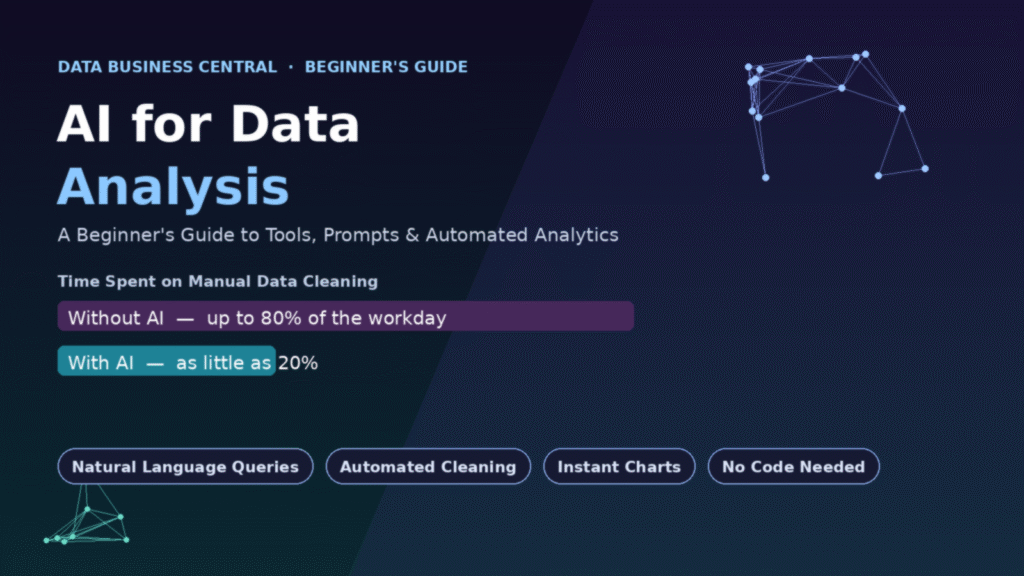
The case for learning this skill isn’t hype — it shows up directly in how analysts spend their time. Long-standing industry research has consistently found that data professionals spend somewhere between 60% and 90% of their working time simply finding, cleaning, and organizing data, leaving a comparatively small slice of the day for the analysis itself — the part most people actually got into the field to do. That imbalance has been called the “80/20 rule” of data work for years, and until recently, there was no real fix for it beyond hiring more people or building more rigid pipelines.
AI tools are the first genuine dent in that ratio. Practitioners tracking their own workflows in 2026 report that generative AI has automated somewhere in the range of 30% to 40% of the tasks that used to fill a typical analyst’s week, with data preparation specifically seeing time savings as high as 80% for certain repetitive cleaning tasks — collapsing what used to be a full day of untangling inconsistent naming conventions and mismatched formats into a task measured in minutes. That shift doesn’t eliminate the analyst’s job. It reallocates it — away from manual grunt work and toward the parts of the job that actually require judgment: deciding what question matters, sanity-checking an answer, and explaining what it means to someone who has to act on it.
What “AI for Data Analysis” Actually Means
It helps to break this into three distinct capabilities, because beginners often lump them together and end up confused about what a given tool can and can’t do.
1. Natural language querying. Instead of writing a SQL query or a spreadsheet formula, you type a question in plain English — “What were our top five products by revenue last quarter?” — and the tool translates that into the underlying query, runs it, and hands back a chart or table. Modern AI analytics platforms are built around exactly this pattern.
2. Automated pattern detection. Rather than you manually eyeballing a chart for something unusual, the AI proactively scans the dataset and flags anomalies, trends, or correlations you might not have thought to look for — a sudden spike in returns, a customer segment that’s quietly churning faster than the rest.
3. Predictive and prescriptive modeling. This is where AI moves beyond describing what already happened and starts forecasting what’s likely to happen next — demand forecasting, churn prediction, inventory optimization — and in the more advanced “prescriptive” category, suggesting what action to actually take in response.
Most beginner workflows live almost entirely in the first category, and that’s completely fine. Natural language querying alone eliminates the steepest part of the traditional learning curve: the requirement to already know a query language before you can ask your data anything at all.
The Tools Beginners Are Actually Using in 2026
You don’t need an enterprise budget to start. Here’s how the landscape breaks down by use case.
General-Purpose AI Chat Tools
Tools like ChatGPT’s Advanced Data Analysis feature and similar conversational AI assistants let you upload a CSV or Excel file directly into a chat interface and ask questions in plain language. Under the hood, these tools are actually writing and running code — usually Python — to answer your question, then translating the result back into plain language and a chart. For a beginner, this is often the single easiest on-ramp available: no installation, no setup, just a file upload and a question.
AI Layers Inside Familiar Software
If you already work in Excel, Power BI, or Tableau, you don’t necessarily need a new tool at all. Microsoft’s Copilot integration inside Power BI can generate entire report pages from a natural-language description, write complex formulas, and produce narrative summaries explaining what a dashboard is actually showing — letting business users ask something like “what were our top five products by sales last quarter?” and get an instant visualization back, without writing a single formula. Tableau Pulse works in a related but distinct way: instead of waiting for you to build a query, it proactively pushes relevant metric digests to you, surfacing insights before you think to ask.
Search-Style Analytics Platforms
Some newer platforms lean specifically into treating your dataset like a search engine. ThoughtSpot, for example, lets users type a search-style question directly against their data and automatically generates accurate charts and dashboards on the fly, without requiring the data to be moved out of the cloud warehouse it already lives in.
Specialized Beginner-Friendly Tools
Tools like Julius AI are built specifically around conversational, code-free statistical analysis — a good fit if your work is closer to ad hoc exploratory analysis than production reporting. These tools tend to have a gentler learning curve than full BI platforms, at the tradeoff of less enterprise-grade governance and scale.
| Tool Type | Example | Best For |
|---|---|---|
| Conversational AI chat | ChatGPT Advanced Data Analysis, Julius AI | Ad hoc exploration, quick one-off questions, complete beginners |
| BI platform AI layer | Power BI Copilot, Tableau Pulse | Teams already using Excel/Power BI/Tableau who want AI added on top |
| Search-style analytics | ThoughtSpot | Business users who want to “Google” their own data |
| Enterprise AI analytics | Looker AI, ThoughtSpot Sage | Large organizations with big, governed data warehouses |
The right starting point depends far more on what software you already have access to than on which tool is objectively “best” — if your company already runs Power BI, learning Copilot inside it will get you further, faster, than adopting an entirely new platform from scratch.
A Realistic First Project: Step by Step
Reading about tools only gets you so far. Here’s a concrete workflow for a first real project — analyzing, say, a spreadsheet of sales transactions.
Step 1 — Upload the raw data as-is. Resist the urge to manually clean it first. Part of the value of a modern AI tool is that it can see the mess and tell you what it finds, which is often more informative than cleaning blind.
Step 2 — Ask it to describe the data before asking it to analyze anything. A simple prompt like “Give me a summary of this dataset: what columns exist, what types of values are in each, and where you see missing or inconsistent data” produces a genuinely useful map before you’ve made a single analytical decision.
Step 3 — Ask it to flag data quality issues explicitly. Duplicate rows, inconsistent category labels, impossible values (a negative age, a return date before a purchase date) — naming these out loud, rather than letting the tool silently “fix” them, is the single habit that separates a beginner who trusts their output from one who gets burned by it later.
Step 4 — Ask your real business question in plain language. “Which product categories had declining sales month over month for the last two quarters?” is a perfectly good prompt. You don’t need to know how the tool will answer it; you need to know what you actually want to learn.
Step 5 — Ask for the reasoning, not just the answer. A strong follow-up prompt — “walk me through how you calculated that” or “show me the underlying numbers” — turns a black-box output into something you can actually verify and defend to a stakeholder.
Step 6 — Sanity-check the result against something you already know. If the tool tells you total revenue for the quarter, and you happen to know that figure from a finance report, compare them. This single habit catches more AI analysis mistakes than any other step in this list.
Step 7 — Ask for the visualization last, not first. A chart is only as trustworthy as the calculation behind it. Once you’ve verified the numbers, asking for a clean bar chart or trend line becomes the easy, low-risk final step.
Prompting Well: The Skill That Actually Matters
The quality of your questions determines the quality of your analysis far more than the specific tool you’re using. A few patterns consistently produce better results from AI data analysis tools:
- Be specific about the time window. “Sales this year” is ambiguous; “sales from January through June 2026, compared to the same period in 2025” is not.
- Name the comparison you actually want. “Is this good?” is unanswerable without context. “Is this higher or lower than last quarter?” is answerable.
- Ask for assumptions to be stated. If a date field is ambiguous or a category has multiple spellings, a good prompt asks the tool to state how it handled that decision rather than silently picking one.
- Iterate instead of expecting a perfect first answer. Treat the first response as a draft. “That’s close, but exclude refunded orders” is a completely normal and expected second message.
Where AI Data Analysis Still Needs a Human
This is the part beginners skip, and it’s the part that matters most. AI tools are extremely good at describing what’s already in the data. They are considerably less reliable at three things:
Understanding business context they were never told. An AI model doesn’t know that your company redefined how it counts “active customers” halfway through last year unless you tell it — and if you don’t, it will happily calculate a trend line straight through a definition change as if nothing happened.
Distinguishing correlation from causation. An AI tool can tell you that ice cream sales and drowning incidents rise together. It won’t automatically tell you that’s because both are driven by summer weather, not because one causes the other — that judgment call still belongs to the human interpreting the output.
Recognizing when a question is actually the wrong question. The most valuable thing an experienced analyst does is sometimes push back on the question being asked in the first place. AI tools, by design, answer the question you give them — they don’t (yet) reliably tell you that you’re solving the wrong problem.
The practical takeaway: use AI to compress the mechanical distance between a question and an answer, but keep a human — probably you — responsible for deciding whether the question was the right one and whether the answer actually makes sense.
Common Beginner Mistakes to Avoid
Trusting the first answer without verification. The single most common mistake. AI-generated analysis can be confidently wrong, and a plausible-looking chart is not the same thing as a correct one.
Uploading data with no context about what the columns mean. A column labeled “status” with values 1, 2, and 3 means nothing to an AI tool unless you explain what those codes represent — and it may guess wrong rather than asking.
Treating cleaning suggestions as automatic approvals. If a tool flags 200 duplicate rows and offers to remove them, look at a sample of what it’s calling a duplicate before agreeing. “Duplicate” can mean genuinely identical rows, or it can mean two legitimate transactions that happen to share several fields.
Skipping the “how did you calculate that” question. This single prompt habit turns opaque output into something auditable, and it takes about five seconds to ask.
Assuming more automation always means less work. The goal isn’t to remove yourself from the process — it’s to spend your remaining time on judgment calls instead of manual formatting.
Building From Here: A Simple Learning Path
For someone starting from zero, a reasonable progression looks like this:
- Start with a conversational AI tool (like ChatGPT’s data analysis feature) on a dataset you already understand — your own budget, a hobby project, anything where you can sanity-check the output against something you already know to be true.
- Move into whatever BI tool your workplace already uses, and specifically learn its AI layer — Copilot in Power BI, Pulse in Tableau, or the equivalent — since that’s the tool you’ll actually be expected to use professionally.
- Learn just enough SQL to read a query, even if AI writes it for you. You don’t need to write complex joins from scratch, but being able to look at the query an AI tool generated and confirm it’s doing what you asked is an enormous trust-building step.
- Practice explaining AI-generated findings out loud, as if to a non-technical stakeholder. If you can’t explain why a number is what it is, you’re not ready to present it — regardless of how confidently the tool delivered it.
Frequently Asked Questions
Do I need to know how to code to use AI for data analysis? No. Tools like ChatGPT’s Advanced Data Analysis feature, Power BI Copilot, and search-style platforms like ThoughtSpot are specifically designed to let you ask questions in plain English and receive a chart or answer back, with the underlying code or query handled automatically.
Is AI going to replace data analysts? Current industry commentary broadly agrees that AI is changing how analysts work rather than eliminating the role — automating tedious formula-writing, cleaning, and reporting tasks so analysts can spend more time on interpretation and decision-making. Analysts who understand both traditional and AI-assisted analytics are generally considered best positioned for the roles ahead.
What’s the biggest risk of relying on AI for data analysis? Trusting an AI-generated answer without verifying it. AI tools can produce confident, well-formatted, and factually wrong results, especially when they lack business context you never explicitly gave them.
Which AI data analysis tool should a total beginner start with? Whatever requires the least setup and connects to a tool you already use. If your company runs Power BI or Excel, start with its built-in Copilot features. If you’re experimenting independently, a conversational tool like ChatGPT’s data analysis feature or Julius AI is a low-friction starting point.
How much time can AI actually save on data analysis work? Reported figures vary by task, but practitioners in 2026 report roughly 30% to 40% of previously manual analyst tasks being automated overall, with data cleaning specifically seeing time reductions as high as 80% for certain repetitive tasks.
Final Thoughts
The honest pitch for AI for data analysis isn’t that it makes you smarter — it’s that it removes the tedious, mechanical distance between having a question and getting a defensible answer. For decades, that distance was filled with manual cleaning, formula-writing, and query syntax that kept a lot of curious, capable people out of the field entirely. That barrier has meaningfully lowered.
What hasn’t changed is the judgment required on either end of that process: knowing what question is actually worth asking, and knowing how to check whether the answer you got back is one you’d stake your name on. Learn the tools, build the habit of verification into every workflow from day one, and automated data analysis becomes exactly what it should be — a genuine accelerant, not a replacement for thinking.
