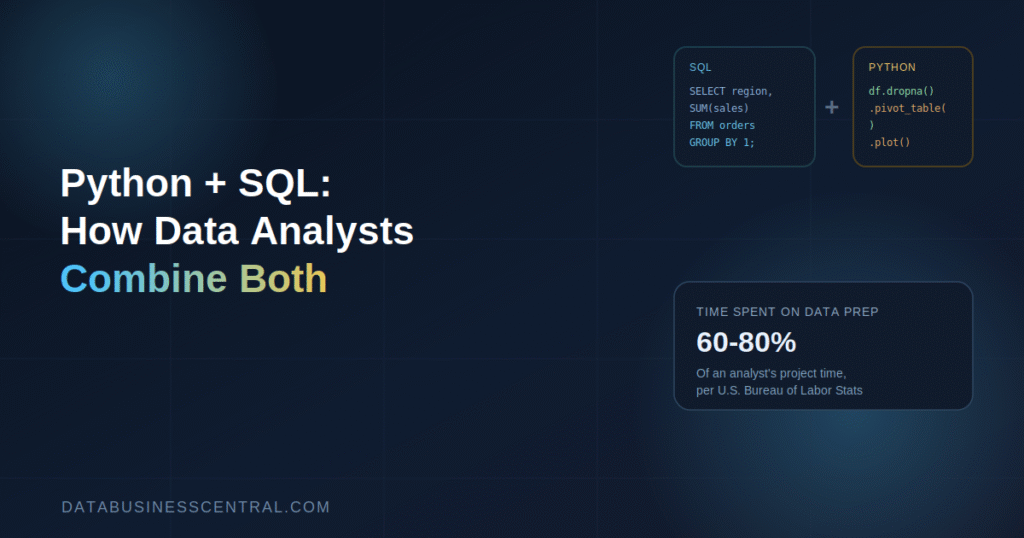
Ask any working data analyst what actually eats up their day, and it’s rarely the “analysis” part everyone imagines. The U.S. Bureau of Labor Statistics estimates that data preparation alone consumes 60% to 80% of an analyst’s time on a typical project — pulling data, fixing formatting, chasing down missing values — long before any real insight shows up. That’s exactly the gap Python and SQL are built to close together, and it’s why job postings increasingly stop treating them as separate skills entirely.
The market backs this up clearly. SQL now appears in roughly 70% of data analyst job postings according to recent hiring data, making it by far the most requested technical skill in the field. Python isn’t far behind, and the two increasingly show up in the same listing rather than as alternatives. Python-focused data analyst roles now average around $82,640 a year, with hourly pay for Python-plus-SQL analysis work landing near $58 an hour. This piece breaks down exactly how these two tools work together in practice, not just why you should learn both.
Why These Two Skills Rarely Work Alone
SQL and Python solve different halves of the same problem, which is exactly why pairing them is so effective. SQL is built to retrieve and aggregate data that already lives in a structured database — fast, reliable, and purpose-built for exactly that job. Python picks up where SQL’s usefulness starts to taper off: messy formatting, inconsistent categories, statistical testing, and repetitive tasks that would otherwise mean rerunning the same manual steps every week.
Employers have clearly caught on to this complementary relationship. A growing share of analyst postings explicitly ask for both, framing them not as competing tools but as sequential steps in the same workflow — query with SQL, refine with Python, then communicate the result.
What SQL Does Best
SQL’s job is retrieving exactly the data you need from a relational database, and it’s remarkably good at that one job. Writing SELECT statements, filtering with WHERE clauses, joining multiple tables together, aggregating with GROUP BY, and ranking results with window functions covers the vast majority of what SQL is asked to do in a typical analyst role.
The advantage is speed and scale. A well-written SQL query can filter and aggregate millions of rows directly inside a database like PostgreSQL, Snowflake, or BigQuery far faster than pulling all that raw data into a separate tool first. If your goal is “get exactly this slice of data out of this database,” SQL is almost always the right first step — and often the only step you need.
What Python Adds on Top
Python steps in once the data is out of the database and needs work SQL wasn’t designed to do efficiently. Its Pandas library handles cleaning tasks — standardizing inconsistent date formats, removing duplicates, handling missing values — with far more flexibility than SQL’s rigid query structure allows. Beyond cleaning, Python extends into statistical testing, building visualizations, and — critically — automating tasks so they don’t have to be repeated manually every time a report is due.
This is also where Python’s ceiling becomes obvious. A task that’s a one-off SQL query today can become a scheduled Python script tomorrow, running automatically every Monday morning without anyone touching it. That kind of automation is simply outside what SQL alone is built to do.
The Real Workflow: How They Fit Together
In practice, most analysts don’t consciously choose “SQL or Python” for a task — they move fluidly between the two as a single connected workflow. A typical project looks something like this:
- Extract with SQL. Write a query that pulls only the relevant data from the database — filtered, joined, and roughly aggregated at the source, rather than dragging unnecessary rows into memory.
- Load into Python. Bring that query result into a Pandas DataFrame, where more flexible cleaning and transformation tools take over.
- Clean and reshape with Python. Handle missing values, standardize formats, merge in a second dataset that wasn’t in the original database, or reshape the data into the exact structure an analysis or chart requires.
- Analyze and visualize. Run statistical tests, build exploratory charts, or feed the cleaned data into a visualization tool like Power BI or Tableau for the final presentation layer.
- Automate the repeatable parts. Once a workflow proves useful, wrap the SQL query and Python cleaning steps into a script that runs on a schedule, turning a one-time analysis into a recurring, hands-off report.
Each tool does the part of the job it’s genuinely best at, and the handoff between them is often invisible to whoever’s reading the final report.
A Concrete Example
Picture a retail analyst asked to explain why regional sales dipped last quarter. The workflow might look like this in practice: a SQL query pulls transaction records for the relevant date range, joined against a store-location table to attach region data directly in the query. That result lands in a Pandas DataFrame, where the analyst notices a batch of transactions with missing region codes — a data entry issue SQL’s rigid joins couldn’t have caught or fixed on its own. Python fills those gaps using a lookup table, recalculates regional totals, and runs a quick statistical comparison against the prior quarter. The cleaned, verified dataset then flows into a dashboard for the final presentation.
Notice that neither tool alone gets this done cleanly. SQL couldn’t repair the missing region codes without exporting and reprocessing the data anyway, and pulling the entire raw transaction table into Python without SQL’s filtering first would have been slower and far less efficient.
Where They Overlap — and Which to Pick
Some tasks genuinely can be done in either tool, and knowing which one to reach for saves real time. Basic aggregation — totals, averages, simple grouping — is usually faster directly in SQL, since it runs inside the database rather than requiring you to pull the data out first. Complex, multi-condition logic, statistical calculations, or anything requiring a loop or custom function is almost always cleaner and more maintainable in Python.
A practical rule of thumb: if a task can be expressed cleanly in a single SQL query, do it there — it’ll run faster and require less code. If it needs conditional logic, external data merging, or has to run automatically without human intervention, that’s Python’s job.
The Career and Salary Case for Combining Both
The data-driven case for learning both together, rather than one in isolation, comes through clearly in current hiring trends. SQL alone still opens doors — plenty of analyst roles run primarily on SQL and a visualization tool — but Python is increasingly the differentiator that separates standard analyst roles from higher-paying hybrid positions blending analysis with light data engineering.
Roles explicitly requiring both skills together, rather than either one alone, tend to cluster in the more senior, better-compensated end of the analyst market. That’s a direct reflection of what those roles actually demand day to day: not just querying data, but preparing it well enough to trust, and often automating that preparation so it doesn’t have to happen manually every reporting cycle.
How to Learn Both Together
Trying to master each tool in complete isolation is slower than learning them in the order you’ll actually use them. A practical sequence:
- Start with SQL fundamentals — SELECT, WHERE, JOIN, GROUP BY — since it’s the foundation nearly every real dataset starts from, and it remains the single most requested skill in the field.
- Layer in Python’s Pandas library specifically for cleaning tasks, using the same kind of messy, real-world datasets you’d encounter in an actual analyst role.
- Practice the handoff explicitly. Deliberately build small projects where you pull data with SQL, then finish the analysis in Python — this mirrors the real workflow far better than learning each tool through disconnected tutorials.
- Automate one recurring task. Once comfortable, wrap a SQL-plus-Python workflow into a script that runs on a schedule. This single project demonstrates exactly the skill combination employers are increasingly asking for.
Common Mistakes to Avoid
A few habits slow down analysts trying to combine these tools effectively. Pulling entire raw tables into Python before doing any filtering wastes both time and memory — let SQL handle the initial narrowing first. Writing overly complex, deeply nested SQL queries to avoid touching Python entirely often produces harder-to-maintain code than simply finishing the logic in Pandas. And skipping the automation step — manually rerunning the same SQL-and-Python process every week instead of scripting it once — gives up one of the biggest practical advantages of knowing both tools together.
Final Thoughts
Python and SQL aren’t competing skills for a data analyst to choose between — they’re two halves of the same modern workflow, and treating them that way is exactly what the current job market rewards. SQL gets the right data out of the database efficiently; Python takes over for cleaning, analysis, and automation that SQL was never designed to handle well. Analysts who learn to move fluidly between the two — rather than mastering one and avoiding the other — consistently find themselves qualified for a wider, better-paying slice of the job market in 2026.
Frequently Asked Questions
Do I need to be an expert in both Python and SQL to get hired as a data analyst? No. Many analyst roles run primarily on strong SQL and a visualization tool, but functional Python skills — especially Pandas for cleaning — make you noticeably more competitive for higher-paying, hybrid positions.
Which should a beginner learn first, Python or SQL? SQL is generally the better starting point since it underpins how most real-world data is stored and retrieved, and it makes learning Python’s data-handling libraries significantly easier once you understand relational data structure.
Can Python do everything SQL does, or vice versa? Not efficiently. SQL is optimized for fast querying and aggregation directly inside a database, while Python excels at flexible cleaning, statistical analysis, and automation — using the wrong tool for either job usually means more code and slower performance.
